Skip to content
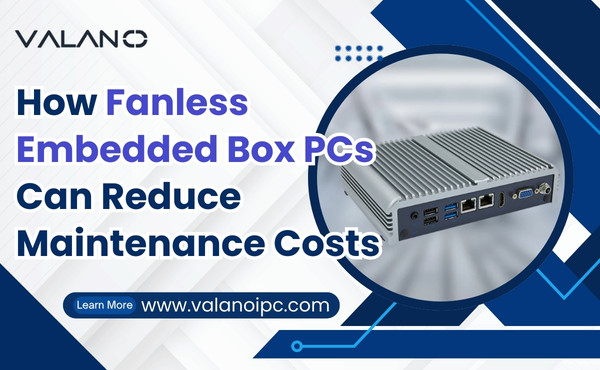
Fanless Embedded Box PCs offer a reliable solution for industrial and commercial applications by eliminating fans and other moving parts. This design reduces the risk of dust buildup, mechanical failure, and downtime, directly lowering maintenance costs. By relying on passive cooling, these systems ensure long-term durability and efficiency. In this article, we explore how adopting Fanless Embedded Box PCs can streamline operations, cut maintenance expenses, and improve overall system reliability.
Why Maintenance Costs Matter
Downtime and Operational Impact
Maintenance costs affect every business. When a computer system fails, work often stops. This downtime can lead to missed deadlines and lost revenue.
Many industries rely on computers for daily operations. In manufacturing, a single failure can halt an entire production line. In retail, system outages can prevent sales and frustrate customers.
Downtime also affects employee morale. Workers may feel frustrated when they cannot complete their tasks. This can lower overall job satisfaction and reduce efficiency.
Some companies must pay overtime to catch up after a breakdown. Others may need to hire extra staff to handle repairs. These extra costs can strain budgets and reduce profits.
Maintenance Challenges with Traditional PCs
Traditional PCs use fans and other moving parts to keep cool. These parts wear out over time. Dust and debris can clog fans, causing them to fail.
Frequent repairs are common with fan-based systems. Technicians must replace worn-out parts and clean out dust. This maintenance takes time and costs money.
Traditional PCs often need to be shut down for repairs. This interrupts work and increases downtime. In harsh environments, failures happen more often due to heat, dust, or vibration.
Some locations are hard to reach. Sending technicians to remote sites can be expensive. Travel costs and repair delays add to the total expense.
Aging hardware also creates problems. As parts become harder to find, repair times increase. This can lead to longer outages and higher costs.
Cost-Saving Features of Fanless Embedded Box PCs
No Moving Parts
Fewer Mechanical Failures
Fanless Embedded Box PCs do not use fans or spinning drives. This design removes many common points of failure. Fewer moving parts mean fewer breakdowns and less need for repairs.
Less Vibration and Noise
Moving parts can create vibration and noise. Over time, vibration can damage sensitive components. Fanless systems run quietly and avoid these risks, which helps protect the hardware.
Passive Cooling and Energy Efficiency
Lower Power Consumption
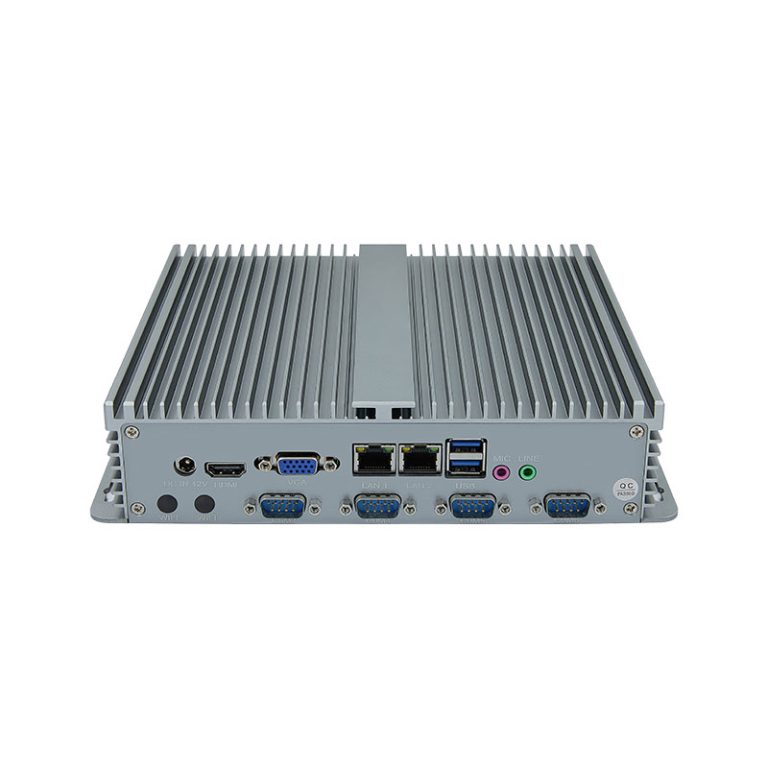
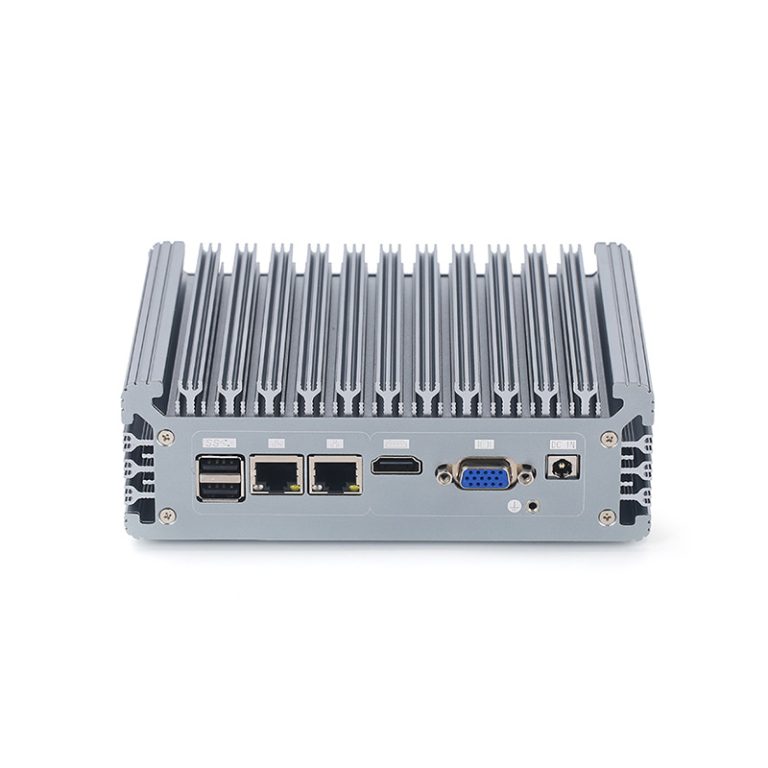
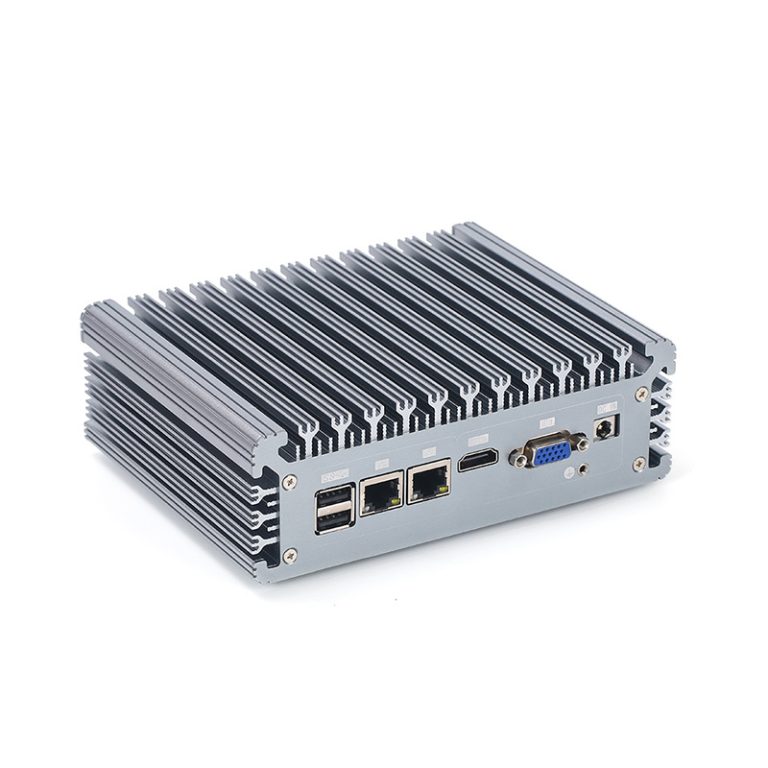
Fanless Embedded Box PCs use passive cooling. They rely on heat sinks and smart design to manage temperature. This approach uses less electricity than systems with active fans.
| Feature | Fan-Based PCs | Fanless Embedded Box PCs |
|---|---|---|
| Power Usage | Higher | Lower |
| Cooling Method | Active (Fans) | Passive (Heat Sinks) |
| Maintenance Frequency | Frequent | Rare |
Lower power use also means less heat is produced. This helps keep the system stable and reduces the risk of overheating.
Reduced Overheating Risk
Fans can fail and cause a system to overheat. Fanless Embedded Box PCs avoid this problem by using passive cooling. The risk of sudden shutdowns or heat damage drops sharply.
Sealed Design for Harsh Environments
Dust and Debris Protection
Many industrial sites have dust, dirt, or debris in the air. Fanless Embedded Box PCs have sealed cases that block out these particles. This protection keeps the inside clean and reduces the chance of failure.
Environmental Resistance
Sealed designs also help in places with moisture, extreme temperatures, or vibration. These PCs can work in factories, vehicles, or outdoor locations. Their rugged build means less maintenance and fewer emergency repairs.
Key benefits of sealed, fanless systems:
- Fewer breakdowns from dust or moisture
- Reliable operation in extreme settings
- Lower long-term maintenance costs
Fanless Embedded Box PCs combine these features to deliver strong, reliable performance. Their design helps businesses save money by reducing the need for repairs and replacements.
Real-World Savings
Less Downtime
Downtime can cost businesses a lot of money. Fanless Embedded Box PCs help reduce these losses by staying operational for longer periods. Their sealed design keeps out dust and debris, which often cause failures in other systems.
Many companies see fewer interruptions in their daily work. Employees can complete tasks without waiting for repairs. This steady operation helps businesses meet deadlines and keep customers happy.
Fewer Repairs
Traditional computers with fans need regular maintenance. Fans can break or get clogged with dust. Each repair takes time and adds to the total cost.
Fanless Embedded Box PCs do not have these problems. Their simple design means there are fewer parts that can fail. Technicians spend less time fixing these systems, which saves money on labor and replacement parts.
Benefits of fewer repairs:
- Lower maintenance bills
- Less need for spare parts
- Reduced technician visits
A business can use its resources for other important tasks instead of constant repairs.
Longer Lifespan
A longer lifespan means a device stays useful for more years. Fanless Embedded Box PCs last longer because they avoid common problems like overheating and mechanical wear. Their rugged build protects them from harsh conditions.
Many companies replace their computers less often when they use fanless systems. This reduces the cost of buying new equipment. Over time, the savings can be significant.
| Feature | Traditional PC | Fanless Embedded Box PC |
|---|---|---|
| Average Lifespan | 3-5 years | 5-7 years |
| Replacement Frequency | Higher | Lower |
| Long-Term Cost | Higher | Lower |
Fanless Embedded Box PCs offer real savings through less downtime, fewer repairs, and a longer lifespan. These advantages make them a smart choice for companies that want to control costs and improve reliability.
Fanless Embedded Box PCs vs. Fan-Based PCs
Reliability Comparison
Reliability is a key factor when choosing a computer system. Fan-based PCs have moving parts that can wear out over time. Fans often fail because of dust, heat, or mechanical stress.
Fanless Embedded Box PCs use a sealed design with no moving parts. This makes them less likely to break down. Their passive cooling system does not rely on fans, so there are fewer points of failure.
A reliable system means fewer unexpected shutdowns. It also means less risk of data loss or interrupted work.
Maintenance Frequency
Maintenance needs can affect both cost and productivity. Fan-based PCs require regular cleaning and part replacement. Dust can clog fans, and technicians must check for worn-out components.
Fanless systems need much less maintenance. Their sealed cases keep out dust and debris. Technicians do not need to replace fans or clean inside the case as often.
Maintenance tasks for fan-based PCs:
- Cleaning dust from fans and vents
- Replacing broken fans
- Checking for overheating issues
Maintenance tasks for fanless systems:
- Occasional external cleaning
- Visual inspection for damage
A simple maintenance routine helps businesses save time and money. It also reduces the chance of unexpected failures.
Energy and Operational Costs
Energy use is another important factor. Fan-based PCs use more power because their fans run constantly. This extra energy creates more heat, which can raise cooling costs in large facilities.
Fanless Embedded Box PCs use passive cooling, which does not need extra electricity. These systems stay cool without fans, so they use less energy overall.
| Feature | Fan-Based PCs | Fanless Embedded Box PCs |
|---|---|---|
| Power Consumption | Higher | Lower |
| Cooling Method | Active (Fans) | Passive (Heat Sinks) |
| Maintenance Cost | Higher | Lower |
Lower energy use means lower utility bills. It also means less heat in the workspace, which can improve comfort for employees.
Deployment Considerations
Installation Tips
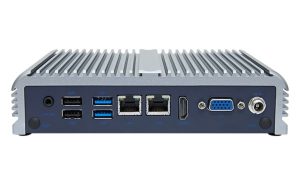
Proper installation helps fanless embedded box PCs perform at their best. Place the device in a location with good airflow around the heat sinks. Avoid stacking other equipment on top of the unit.
Use the mounting options provided by the manufacturer. Many models support DIN rail, wall, or VESA mounting. Secure mounting reduces vibration and protects the device from accidental bumps.
Label each connection for easy identification during future maintenance. Keep the installation area clean to prevent dust buildup on external surfaces.
Environmental Suitability
Fanless embedded box PCs work well in many environments. Their sealed design protects against dust, moisture, and debris. These features make them ideal for factories, vehicles, and outdoor kiosks.
Before deployment, assess the temperature range of the location. Most fanless PCs operate within a specific temperature window. Extreme heat or cold may require additional protection, such as enclosures or heaters.
| Environment | Suitability | Notes |
|---|---|---|
| Factory Floor | Excellent | Handles dust and vibration |
| Outdoor Kiosk | Good | Needs weatherproof enclosure |
| Vehicle | Excellent | Withstands movement |
| Office | Excellent | Quiet and reliable |
Check for sources of electromagnetic interference. Keep the PC away from strong magnets or heavy machinery that could disrupt operation.
Choosing the Right Model
Selecting the right model ensures long-term reliability. Start by listing the required ports and connectivity options. Some applications need multiple USB, serial, or network ports.
Consider the processing power needed for your software. Choose a model with enough memory and storage for current and future needs. Look for models with expansion slots if you expect to add features later.
Key factors to consider:
- Required input/output ports
- Processor and memory capacity
- Storage type and size
- Expansion options
Think about the power supply. Some models support wide voltage ranges for use in vehicles or remote sites. Pick a model that matches your deployment environment for the best results.
Maximizing Cost Benefits
Preventive Maintenance
Preventive maintenance helps businesses avoid unexpected failures. Fanless embedded box PCs need less maintenance, but regular checks still add value. Simple tasks like inspecting connections and cleaning external surfaces can prevent small issues from becoming big problems.
A basic maintenance checklist may include:
- Checking for loose cables or connectors
- Inspecting the device for signs of damage
- Cleaning dust from the outside of the case
- Verifying that the system operates within the recommended temperature range
Preventive maintenance reduces the risk of downtime. It also extends the lifespan of the equipment. Companies can plan these activities during off-peak hours to avoid disrupting operations.
Remote Monitoring
Remote monitoring allows technicians to track system health without being on-site. Many fanless embedded box PCs support remote management tools. These tools provide real-time data on temperature, power usage, and system status.
Key benefits of remote monitoring include:
- Early detection of potential problems
- Fewer site visits for routine checks
- Faster response to system alerts
| Feature | Without Remote Monitoring | With Remote Monitoring |
|---|---|---|
| Issue Detection | Slower | Immediate |
| Technician Visits | More Frequent | Less Frequent |
| Downtime Risk | Higher | Lower |
Technicians can receive alerts by email or text message. This allows them to fix issues before they cause downtime. Remote monitoring also helps companies manage multiple sites from a central location.
Combining preventive maintenance with remote monitoring maximizes cost savings. Businesses spend less on emergency repairs and keep their systems running longer. These strategies help protect investments and improve overall reliability.
Industry Examples
Manufacturing
Factories often use fanless embedded box PCs to control machines and monitor production lines. These devices withstand dust, vibration, and temperature changes. Their sealed design prevents dust from entering, which reduces failures.
Many manufacturing sites operate around the clock. Fanless systems help keep machines running without frequent maintenance. This reliability improves productivity and lowers repair costs.
A factory can save money by avoiding downtime. The longer lifespan of fanless PCs means fewer replacements. This helps managers plan budgets and reduce unexpected expenses.
Transportation
Fanless embedded box PCs play a key role in transportation systems. They are used in trains, buses, and trucks for navigation, surveillance, and communication. Their rugged build handles vibration and movement.
Vehicles face harsh conditions like heat, cold, and dust. Fanless PCs operate reliably in these environments. Their sealed cases protect against moisture and debris.
| Application | Benefit |
|---|---|
| Fleet Management | Fewer breakdowns |
| Passenger Displays | Stable operation |
| Security Systems | Less maintenance needed |
Transportation companies rely on these PCs for safety and efficiency. Reduced maintenance means fewer service interruptions. This keeps vehicles on schedule and lowers operating costs.
Retail and Digital Signage
Retail stores and digital signage systems use fanless embedded box PCs for point-of-sale terminals and advertising displays. These devices run quietly, which creates a pleasant shopping environment. Their compact size fits easily into kiosks and counters.
Dust and spills are common in retail spaces. Fanless PCs resist these hazards, so they stay operational longer. Staff spend less time fixing equipment.
Retailers benefit from fewer repairs and longer device life. This reduces costs and keeps sales flowing smoothly. Fanless systems also support remote monitoring, which helps manage multiple locations.