Skip to content
Mini PCs face unique heat dissipation challenges due to their compact design, which can impact performance and longevity. Efficient thermal management is crucial to ensure these devices operate reliably under demanding workloads. This article explores how Mini PCs effectively address overheating issues through innovative cooling solutions, helping users maximize performance, maintain stability, and extend device lifespan. Understanding these strategies is key to choosing or optimizing a Mini PC for any application.
Mini PCs vs Desktops: Heat Management
Internal Layout Differences
Mini pcs and desktops look very different inside. Desktops have large cases with lots of open space. Mini pcs use a compact design where every part fits tightly together.
This tight layout creates unique thermal challenges. Airflow moves easily in desktops, but mini pcs need special planning. Engineers must think about heat dissipation from the start.
Cooling System Comparison
Desktops often use big fans and even liquid cooling. These systems push heat away from important parts. Mini pcs use smaller fans or sometimes no fans at all.
Here’s a quick comparison:
| Feature | Desktop PC | Mini PC |
|---|---|---|
| Fan Size | Large | Small or None |
| Airflow | High | Limited |
| Cooling Solutions | Many options | Specialized |
| Noise Level | Can be loud | Usually silent |
Mini pcs focus on silent operation and efficiency. They need creative cooling solutions to keep up with desktops. This is why you see so many different designs for mini pcs.
Specialized Solutions for Mini PCs
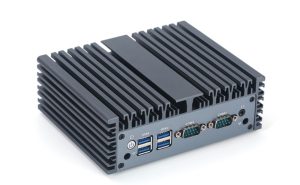
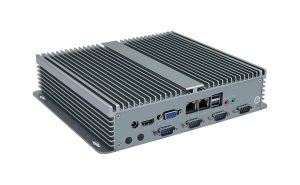
Mini pcs face big challenges with heat management. They use unique solutions to stay cool. Some models use metal cases that act as heat sinks.
Others use smart layouts to separate hot parts from each other. This helps with dissipation and keeps temperatures low. Engineers also use thermal pads and special materials to move heat away from the CPU and memory.
You might see mini pcs with vents in just the right spots. These vents guide warm air out quickly. All these tricks boost efficiency and help mini pcs last longer.
Mini pcs show how smart design can solve thermal challenges. They prove that small computers can handle heat just as well as bigger ones.
Cooling Solutions for Mini PCs
Fanless
Cooling Systems
Metal Heat Sinks
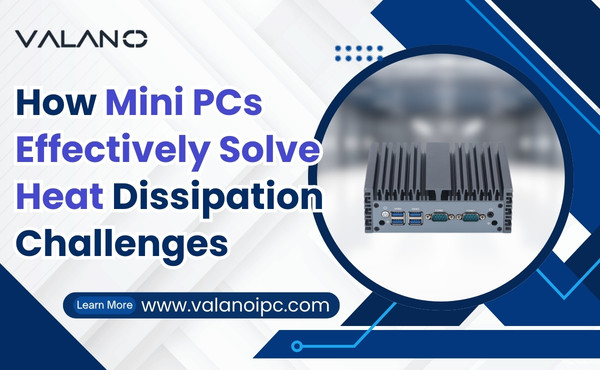
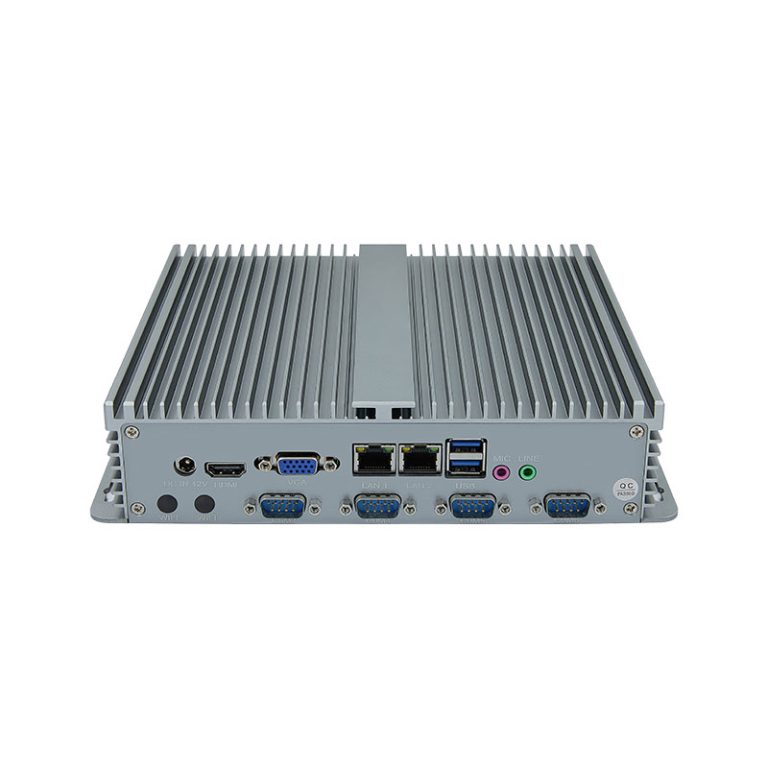
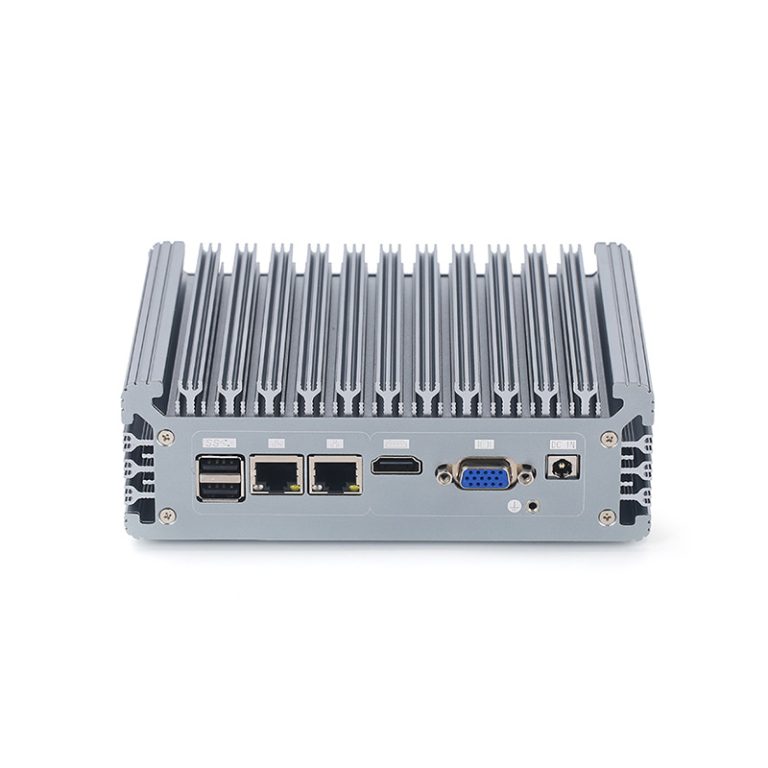
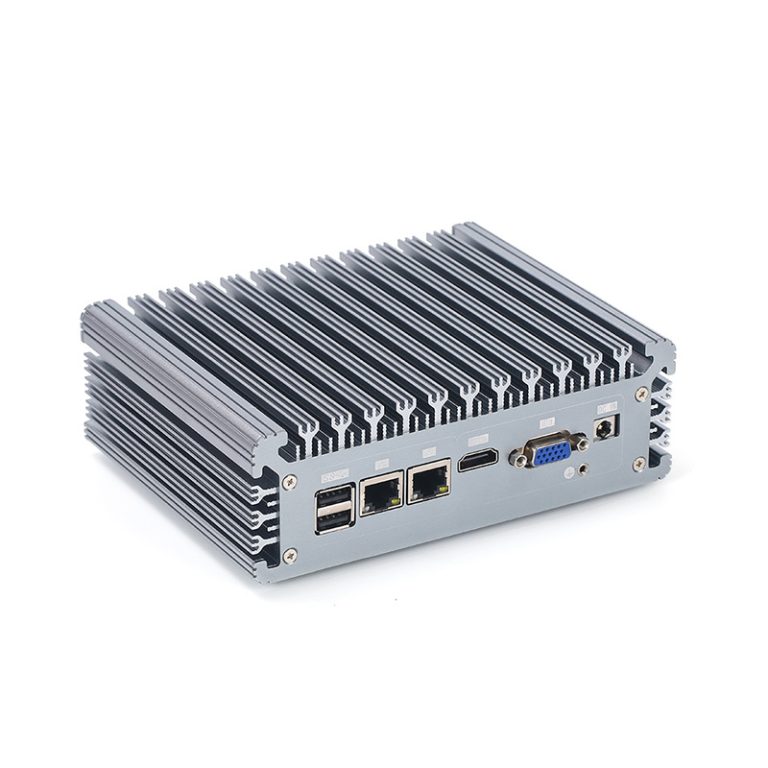
Mini pcs often use fanless cooling systems to handle heat dissipation. Metal heat sinks play a big role in these systems. The metal absorbs heat from the CPU and other parts, then spreads it out so it can escape through the case. This process helps reduce thermal hotspots inside compact enclosures.
Aluminum and copper are common materials for heat sinks. They transfer heat quickly and improve efficiency. Engineers place these heat sinks near the hottest components to boost dissipation.
Silent Operation
Fanless cooling systems make mini pcs almost silent. No fans means no noise, even when the device works hard. This is great for people who want a quiet workspace or home theater.
Silent operation also means fewer parts that can break. Mini pcs with fanless cooling often last longer because there are no fans to wear out. These solutions are perfect for high-performance mini pcs that need steady heat management.
Innovative Chassis Design
Aluminum Heat Sinks
The chassis of mini pcs is more than just a shell. Many models use aluminum cases that act as giant heat sinks. The aluminum pulls heat away from the inside and spreads it across the surface.
This design helps with heat dissipation and keeps the device cool. Aluminum is light and strong, so it works well for compact enclosures. It also looks sleek and modern.
Component Placement
Engineers pay close attention to where they put each part inside mini pcs. Good component placement prevents thermal hotspots and improves thermal management. Hot parts like the CPU and memory are spaced apart to allow better airflow and dissipation.
Some mini pcs have vents in smart locations. These vents guide warm air out and keep cool air moving in. Careful placement and venting are key solutions for heat challenges in small devices.
Thermal Pad Upgrades
Thermal pads help transfer heat from chips to heat sinks. Upgrading to high-quality thermal pads can make a big difference in cooling solutions. These pads fill tiny gaps between parts and sinks, improving heat transfer and efficiency.
Users can upgrade thermal pads themselves. This is a simple way to boost heat dissipation and extend the life of mini pcs. Better pads mean better thermal management and fewer problems with overheating.
Mini pcs use a mix of fanless cooling, smart chassis design, and thermal pad upgrades to solve heat challenges. These solutions keep devices reliable and efficient, even in compact enclosures.
CPU Underclocking and Undervolting
CPU underclocking and undervolting are smart ways to control heat in mini pcs. Underclocking means lowering the speed of the processor. This reduces the amount of heat the CPU creates during use.
Undervolting is about giving the CPU less power. When the processor gets less voltage, it stays cooler and uses less energy. Both methods help with heat management and make the system more stable.
These solutions are popular because they do not need extra hardware. You can change settings in the BIOS or use special software. Many users like these options because they are simple and safe.
Thermal management is important for small computers. Mini pcs have less space for airflow, so every bit of heat matters. Underclocking and undervolting help solve thermal challenges without making the device slower for basic tasks.
You might worry about losing performance. Most people do not notice a big difference in speed for everyday work. Instead, they get better efficiency and a cooler, quieter computer.
CPU underclocking and undervolting are great solutions for anyone who wants to improve efficiency and keep their mini pc running smoothly. These tricks help fight the challenges of heat in small spaces.
Practical Heat Management Strategies
Ventilation Tips
Good ventilation is key for heat management in mini pcs. Place your device in an open area with plenty of space around it. Avoid putting it inside cabinets or tight shelves, as this can trap heat.
Try to keep at least two inches of space on all sides. This helps air move freely and prevents thermal hotspots. If you notice your mini pc getting warm, move it to a spot with better airflow.
You can also use a small desk fan to boost airflow if your room gets hot. This simple step can improve efficiency and support better heat dissipation.
Cleaning and Maintenance
Dust can build up inside compact enclosures and block airflow. Regular cleaning is an easy way to keep your mini pc running cool. Turn off your device and unplug it before you start.
Use a can of compressed air to blow dust out of the vents and fans. Do this every few months, or more often if you live in a dusty area. Clean vents help your cooling solutions work better.
Check for dust on the outside too. Wipe the case with a dry cloth to keep it looking good and working well. Clean devices last longer and face fewer heat management challenges.
Temperature Monitoring
Monitoring your mini pc’s temperature is a smart part of thermal management. Many systems have built-in sensors that show how hot the CPU and other parts get. You can check these numbers in the BIOS or with free software tools.
Set a goal to keep your CPU below 70°C during heavy use. If you see higher numbers, look for ways to improve cooling or reduce the workload. Watching temperatures helps you spot problems before they cause damage.
Here’s a simple table to help you track safe temperature ranges:
| Component | Safe Range | Warning Level |
|---|---|---|
| CPU | 30°C – 70°C | 80°C+ |
| GPU | 30°C – 75°C | 85°C+ |
| SSD | 0°C – 60°C | 70°C+ |
Keeping an eye on temperatures and cleaning your device are easy ways to boost efficiency. These steps help you avoid thermal hotspots and keep your mini pc reliable for years.
External Cooling Accessories
Sometimes, built-in cooling is not enough for mini pcs. You might notice your device gets warm during heavy use. External cooling accessories can help with heat dissipation and keep your system running smoothly.
One popular accessory is a USB-powered cooling pad. These pads sit under your mini pc and use small fans to push air toward the case. Cooling pads are easy to use and do not need much setup. They work well for mini pcs placed on desks or tables.
Another option is a small external fan. You can place the fan near your mini pc to boost airflow. This helps move warm air away from the device and supports heat management. External fans are affordable and can make a big difference in temperature.
Some users choose laptop stands with built-in cooling features. These stands lift the mini pc off the surface and allow air to flow underneath. Better airflow means improved dissipation and less risk of overheating. Stands also help keep your workspace tidy.
Here is a quick table showing common external cooling accessories:
| Accessory | How It Helps | Best Use Case |
|---|---|---|
| Cooling Pad | Adds airflow | Desk setups |
| External Fan | Moves warm air away | Hot rooms |
| Laptop Stand | Improves airflow below | Small workspaces |
External cooling solutions are simple and effective. They do not require changes inside your mini pc. You can add or remove them as needed. This flexibility helps you manage heat without much effort.
Some accessories use very little power. You can plug them into a USB port or a wall outlet. They do not add much noise, so your mini pc stays quiet. Efficiency improves when you combine external cooling with good ventilation and regular cleaning.
If you use your mini pc for gaming or video editing, consider extra cooling. High workloads create more heat. External accessories help keep temperatures safe and protect your hardware.
Mini pcs benefit from external cooling accessories, especially in warm environments. These tools help with heat dissipation and boost efficiency. You can find many options that fit your needs and budget.
Reliability and Performance in Mini PCs
Consistent Operation
Mini pcs deliver steady performance for daily tasks. You can rely on them to boot quickly and run smoothly. Many users notice fewer crashes and less lag compared to older computers.
These devices handle web browsing, streaming, and office work without trouble. The compact design helps keep everything efficient. Engineers test mini pcs to make sure they work well under different conditions.
Hardware Longevity
Mini pcs are built to last. The cooling solutions protect sensitive parts from heat damage. Metal cases and smart layouts help prevent overheating, which can shorten the life of a computer.
Most mini pcs use solid-state drives and energy-saving processors. These parts have fewer moving pieces, so they wear out slower. Regular cleaning and good ventilation also help extend hardware life.
Here’s a quick look at what helps mini pcs last longer:
| Feature | Benefit |
|---|---|
| Fanless cooling | Less wear and tear |
| Metal chassis | Better heat protection |
| SSD storage | Longer lifespan |
User Experiences
People often share positive stories about mini pcs. Many users like the quiet operation and small size. Some say their devices run for years without issues.
Others mention easy upgrades and simple maintenance. You can swap out storage or add memory without much hassle. The compact design fits well in tight spaces, making mini pcs popular for home and office setups.
- Quiet workspace
- Easy upgrades
- Reliable performance
You might find mini pcs in classrooms, studios, or living rooms. Users appreciate the balance of power and efficiency. These devices prove that small computers can be dependable and practical.
Future Trends in Mini PC Cooling
Emerging Technologies
New cooling technologies are changing how mini pcs handle heat. Engineers are exploring micro vapor chambers. These chambers spread heat quickly and evenly across small surfaces. You might see tiny liquid cooling loops in future models. These loops use special fluids to carry heat away from hot parts.
Some companies are testing smart sensors. These sensors track temperature and adjust cooling automatically. Artificial intelligence can help predict when a device needs extra cooling. This means mini pcs will stay cool without wasting energy.
Material Innovations
Materials play a big role in cooling. Researchers are working with graphene and ceramic composites. Graphene moves heat faster than metal. Ceramic composites resist heat and protect sensitive parts.
You may see cases made from new alloys. These alloys combine strength and heat transfer. Engineers want materials that are light, strong, and good at moving heat. Better materials mean more efficient cooling and longer device life.
Here’s a quick table showing some promising materials:
| Material | Benefit |
|---|---|
| Graphene | Fast heat transfer |
| Ceramic Composite | Heat resistance |
| New Alloys | Strength + cooling |
Passive Cooling Advances
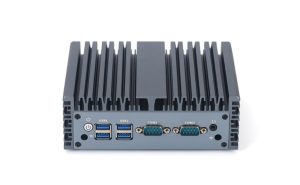
Passive cooling is getting smarter. Designers are creating cases with built-in heat channels. These channels guide heat out without fans or moving parts. Some solutions use special fins and ridges to increase surface area.
You might see mini pcs with modular cooling plates. These plates snap onto the case and help spread heat. Engineers are also testing phase-change materials. These materials absorb heat and change form, keeping temperatures steady.
- No fans means silent operation.
- Passive cooling uses less power.
- Devices last longer with fewer moving parts.
Passive cooling advances make mini pcs more reliable and efficient. You get quiet operation and less risk of overheating. Future designs will combine smart layouts, new materials, and advanced passive solutions for the best results.
Conclusion
Effective heat management is essential for maintaining performance, reliability, and longevity in Mini PCs. Through innovative solutions like fanless cooling, smart chassis design, thermal pad upgrades, and CPU optimization, these compact systems overcome the challenges of limited airflow. Combined with proper ventilation, maintenance, and external accessories, Mini PCs can deliver quiet, efficient, and stable operation. Understanding and applying these strategies ensures users get the full potential and durability from their Mini PCs.