Skip to content
Choosing the right embedded industrial pc shapes the success of any industrial application. Key Features in an embedded pc can determine system reliability and performance in harsh environments. Overlooking essential aspects of embedded computing often leads to downtime, higher costs, and safety risks.
Key Features Overview
Why Key Features Matter
Selecting the right key features for an embedded industrial pc is important for every project. These key features help the system work well in tough environments. They also make sure the embedded industrial pc can handle the demands of different applications.
A strong set of key features supports reliability. When an embedded industrial pc has the right features, it can run for long periods without problems. This reduces downtime and keeps industrial applications running smoothly.
Performance depends on the key features inside the embedded industrial pc. For example, the type of processor and memory can affect how fast the pc works. Good features also help the system use less energy and stay cool.
Long-term suitability is another reason why key features matter. An embedded industrial pc with the right features can last for many years. This saves money and avoids the need for frequent upgrades.
Matching Features to Industrial Needs
Every industrial application has its own needs. Some applications require high processing power, while others need strong protection from dust or water. The key features of an embedded industrial pc should match these needs.
For example, in factories, an embedded industrial pc may need to handle vibrations and extreme temperatures. In other applications, fast data transfer or special communication ports might be important. Matching the features to the environment ensures the pc works well.
A good embedded industrial pc supports many types of applications. It can connect to different machines and systems. This flexibility comes from having the right key features.
Here is a simple checklist for matching features to industrial needs:
- List the main tasks the embedded industrial pc must perform.
- Identify the environment where the pc will operate.
- Check if the key features support these tasks and conditions.
- Make sure the embedded industrial pc can grow with future applications.
Choosing the right key features for an embedded industrial pc is a smart step. It helps the system stay reliable, perform well, and last longer in all types of industrial applications.
Processing Power in Embedded Systems
CPU Types
x86 and ARM
The choice of CPU affects the processing power of an industrial pc. x86 processors are common in many industrial applications. They offer high performance and compatibility with a wide range of software. ARM processors are popular in embedded systems. They use less energy and generate less heat. ARM is often chosen for applications where power efficiency matters.
| CPU Type | Typical Use | Processing Power | Power Efficiency |
|---|---|---|---|
| x86 | industrial pc, automation | high performance | moderate |
| ARM | embedded, IoT devices | moderate | high |
Heterogeneous Computing
Heterogeneous computing combines different types of processors in one system. This approach boosts processing power and high performance. An industrial pc may use both CPUs and GPUs. The GPU handles tasks that need fast data processing, such as image analysis. This setup improves performance and supports advanced industrial applications.
Performance Needs
Application-Specific Demands
Every industrial application has unique processing requirements. Some tasks need high performance for real-time data analysis. Others require steady processing power for long periods. It is important to match the processing power of the industrial pc to the demands of the application. For example, machine vision systems need high performance to process images quickly.
- Identify the processing needs of your application.
- Choose an industrial pc with enough processing power.
- Make sure the system can handle peak workloads.
Power Efficiency
Power efficiency is important in embedded and industrial environments. Efficient processing reduces energy costs and keeps the pc cool. ARM processors are known for their power efficiency. x86 processors offer high performance but may use more energy. Heterogeneous computing can balance high performance with power efficiency.
Processing power is a key feature in any industrial pc. It affects high performance, energy use, and reliability. The right CPU type and computing setup help the system meet industrial demands. Always consider processing power when choosing an embedded solution.
Memory and Storage
RAM Options
Capacity and Type
RAM is a key part of any industrial pc. The amount of RAM affects how many tasks the system can handle at once. More RAM means better performance for demanding applications. Industrial systems often use DDR4 or DDR5 RAM. These types offer fast speeds and stable operation. Choosing the right capacity ensures the embedded system runs smoothly.
A table can help compare RAM types:
| RAM Type | Speed | Stability | Common Use |
|---|---|---|---|
| DDR4 | Fast | High | Industrial pc |
| DDR5 | Faster | Very High | Advanced embedded |
ECC Memory
ECC memory stands for Error-Correcting Code memory. This type of RAM adds protection against data errors. ECC memory can detect and fix small errors before they cause problems. Many industrial applications need this extra protection. ECC memory helps keep systems running without crashes or data loss. It is a smart choice for critical embedded systems.
Storage Choices
SSD, HDD, NVMe
Storage is another important feature in an industrial pc. There are several options for storage. SSDs are popular because they offer fast read and write speeds. SSDs have no moving parts, which gives them better protection from shock and vibration. HDDs are still used in some cases. They offer large storage at a lower cost but less protection from physical damage.
NVMe is a newer type of high-speed storage. NVMe SSDs connect directly to the motherboard. This gives them much faster speeds than regular SSDs or HDDs. NVMe is ideal for applications that need quick access to large amounts of data.
A quick comparison:
- SSD: Fast, reliable, good protection, common in industrial systems.
- HDD: Large capacity, lower cost, less protection, slower speeds.
- NVMe: Very fast, best for high-speed storage needs, strong protection.
Data Protection
Data protection is vital in industrial environments. Storage devices must keep data safe from loss or corruption. SSDs and NVMe drives often include built-in protection features. These can include power loss protection and wear leveling. Industrial systems may also use RAID setups for extra protection. RAID can mirror data across multiple drives. This adds another layer of protection against drive failure.
Reliable memory and storage are essential for any embedded industrial pc. They support high performance and provide the protection needed for harsh environments.
Durability and Industrial Design
Environmental Resistance
Temperature Range
Industrial environments often have extreme temperatures. An industrial pc must work in both hot and cold conditions. Good environmental protection helps the system stay stable when the temperature changes quickly.
Many rugged embedded computers use special parts that can handle wide temperature ranges. This feature keeps the performance steady. It also helps the pc last longer in harsh places.
Shock and Vibration
Factories and outdoor sites can have strong shock and vibration. These forces can damage a regular pc. An industrial pc needs strong environmental protection to keep working during these events.
Designers test systems for shock and vibration resistance. They use special mounts and materials to protect the inside parts. This level of environmental protection ensures the pc stays reliable in tough spots.
Quality Design
Rugged Enclosures
A durable system starts with a strong case. Rugged enclosures give the pc extra environmental protection. They shield the inside from dust, water, and impacts.
Many industrial pcs use metal or reinforced plastic for their cases. This design keeps the embedded system safe from bumps and drops. A rugged enclosure is key for any industrial application.
Ingress Protection (IP Ratings)
Ingress protection ratings show how well a pc can block out dust and water. These ratings use two numbers. The first number shows dust protection. The second number shows water protection.
A high ingress protection rating means better environmental protection. For example, IP65 means the pc is dust-tight and safe from water jets. Always check the ingress protection rating for your industrial pc.
| IP Rating | Dust Protection | Water Protection |
|---|---|---|
| IP54 | Limited | Splash |
| IP65 | Complete | Water jets |
| IP67 | Complete | Immersion |
A focus on durability and environmental protection helps an industrial pc deliver strong performance. These features make sure the system works well in any industrial setting.
Connectivity for Industrial PCs
Connectivity is a key feature in any industrial pc. It allows the system to link with machines, sensors, and networks. Good connectivity supports high performance and reliable data transfer.
Wired Interfaces
Ethernet, Serial, USB
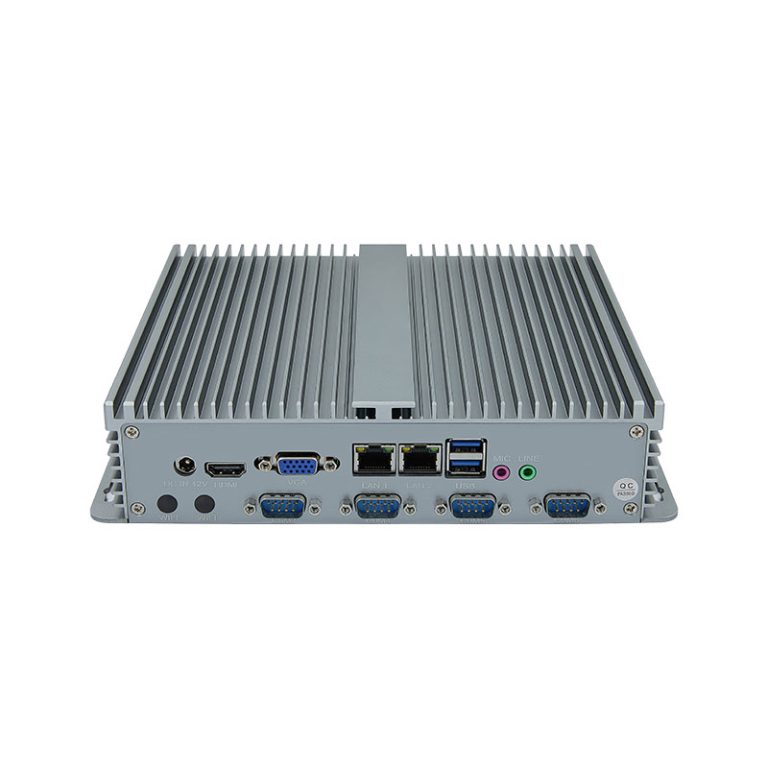
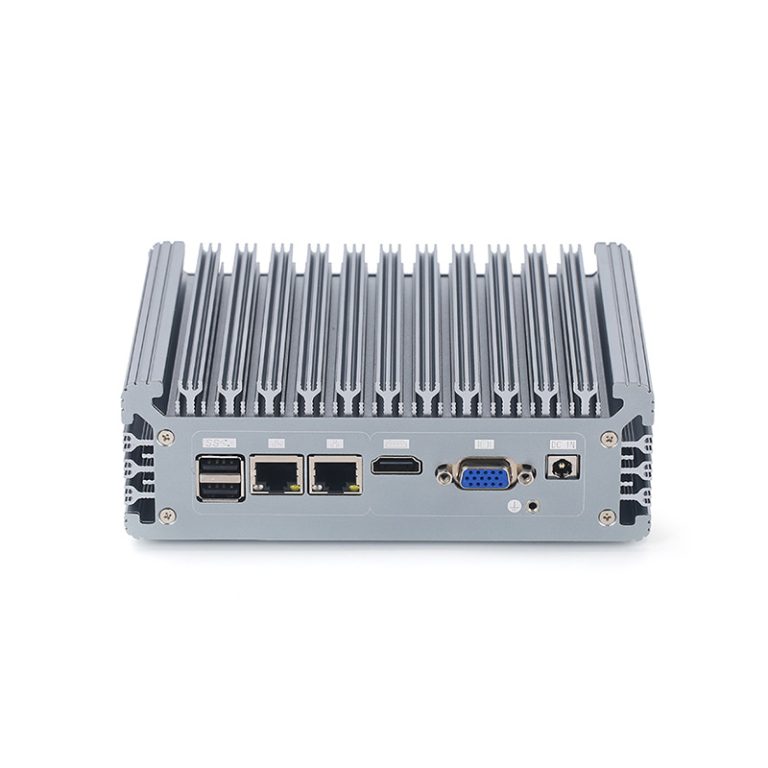
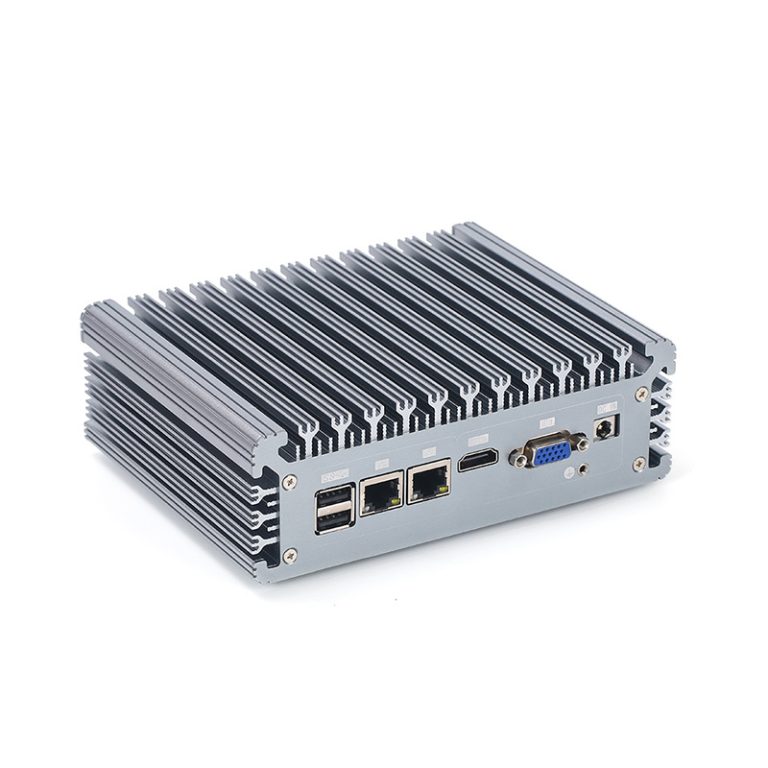
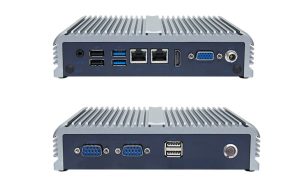
Wired interfaces form the backbone of industrial pc communication. Ethernet is the most common option. It provides fast and stable connections for data transfer. Many industrial pcs include multiple ethernet ports. This setup allows for network redundancy and better system reliability.
Serial ports, such as RS-232 and RS-485, remain important in industrial environments. They connect legacy equipment and support long-distance communication. USB ports offer flexibility. They allow users to connect storage devices, input tools, or other peripherals.
A quick comparison of wired interfaces:
| Interface | Main Use | Speed | Typical Application |
|---|---|---|---|
| Ethernet | Network communication | High | Data transfer, control |
| Serial | Legacy device support | Moderate | Sensors, controllers |
| USB | Peripheral connection | Variable | Storage, input devices |
Wireless Connectivity
Wi-Fi, Bluetooth, Cellular
Wireless connectivity adds flexibility to industrial systems. Wi-Fi is popular for connecting pcs to local networks without cables. Many industrial pcs support dual-band wi-fi for better speed and range. Wi-fi is useful in places where running cables is hard or costly.
Bluetooth is ideal for short-range connections. It links the pc to sensors, handheld devices, or other equipment. Cellular connectivity enables remote access. It uses mobile networks to send data from the industrial site to a central location.
A strong wireless setup improves system performance. It also allows for easier upgrades and changes in the field.
Industrial Protocols
Modbus, CANbus, PROFINET
Industrial protocols help pcs communicate with machines and controllers. Modbus is a simple protocol used in many factories. It allows the industrial pc to read and write data from sensors and devices.
CANbus is common in vehicles and automation systems. It supports fast and reliable data exchange between controllers. PROFINET is a protocol for real-time data transfer over ethernet. It is used in advanced automation and control systems.
Selecting an industrial pc with support for these protocols ensures smooth integration. It also boosts connectivity and system performance.
Expansion and Scalability
Function Expansion
Modular Design
Modular design gives an industrial pc the flexibility to adapt to changing needs. This approach allows users to add or remove components as required. For example, a company can install extra communication modules or specialized input/output boards. Modular systems help reduce downtime because upgrades or repairs can happen quickly. This design also supports easier maintenance. Many industrial environments benefit from modularity because it extends the useful life of the embedded system.
Expansion Slots
Expansion slots are physical connectors on the motherboard. These slots let users add new cards or modules to the industrial pc. Common types include PCIe, Mini PCIe, and M.2 slots. Expansion slots support a wide range of functions, such as extra storage, graphics cards, or industrial interfaces. This feature increases the performance and capability of the pc. It also allows the system to meet specific application requirements. Expansion slots make it possible to customize the industrial pc for different tasks.
Future-Proofing
Upgradability
Upgradability is a key factor in choosing an industrial pc. A system that supports upgrades can handle new technologies and changing workloads. Users can add more memory, swap out storage drives, or install faster processors. This flexibility helps maintain high performance over time. Upgradable systems also reduce the need for complete replacements. This saves money and resources in the long run.
- Check if the industrial pc allows for easy upgrades.
- Look for accessible memory slots and storage bays.
- Make sure the system supports future hardware standards.
Lifecycle Management
Lifecycle management ensures that the industrial pc remains reliable throughout its service life. Manufacturers often provide long-term support for industrial products. This includes firmware updates, replacement parts, and technical assistance. Good lifecycle management helps prevent unexpected failures. It also ensures that the embedded system stays compatible with other equipment. Planning for the full lifecycle of the pc protects your investment and keeps operations running smoothly.
Expansion and scalability are essential for any industrial pc. These features allow the system to grow with your needs and maintain high performance in demanding environments.
AI Enablement and Advanced Features
AI Capabilities
Hardware Acceleration
AI is changing the way industrial systems work. Hardware acceleration helps these systems process data faster. Special chips like GPUs and TPUs can handle complex AI tasks. These chips boost performance in tasks such as image recognition and predictive maintenance. Hardware acceleration also reduces the time needed for data analysis. This means the industrial pc can make decisions quickly.
A table can show the benefits of hardware acceleration:
| Feature | Benefit |
|---|---|
| GPU/TPU Support | Faster AI processing |
| Lower Latency | Quick decision-making |
| Energy Efficiency | Less power consumption |
Edge AI Support
Edge AI allows the embedded system to process data near the source. This means the pc does not need to send all data to the cloud. Edge AI reduces delays and keeps sensitive data safe. Many industrial environments use edge AI for tasks like quality control and equipment monitoring. The system can react to changes right away. This improves safety and performance.
Edge AI also helps when internet connections are weak or slow. The embedded device can keep working even if it cannot reach the cloud. This makes the system more reliable in remote or harsh locations.
Heterogeneous Solutions
Heterogeneous solutions use different types of processors in one system. These systems might combine CPUs, GPUs, and FPGAs. Each processor type handles different tasks. This setup improves performance and energy use. For example, the CPU can run the main program while the GPU handles AI tasks.
Heterogeneous solutions give the industrial system more flexibility. The system can adapt to new tasks without changing the hardware. This is useful in industrial settings where needs often change. It also helps the pc last longer and stay useful as technology advances.
AI enablement and advanced features help the industrial pc handle complex tasks. These features improve performance, reliability, and flexibility in many industrial environments.
Integration and Compatibility
OS Support
Windows, Linux, RTOS
Operating system support is a key factor in choosing an industrial pc. Many industrial systems run on Windows because it offers a familiar interface and broad software compatibility. Linux is another popular choice for embedded applications. It provides flexibility and strong security features. Some industrial environments require a real-time operating system (RTOS). RTOS delivers precise timing and fast response, which is important for automation and control tasks.
A table can help compare these options:
| OS Type | Strengths | Typical Use |
|---|---|---|
| Windows | User-friendly, wide support | Industrial automation |
| Linux | Flexible, secure | Embedded, custom systems |
| RTOS | Real-time, reliable | Control, robotics |
Ease of Integration
Software Ecosystem
A strong software ecosystem makes integration easier. Industrial systems often need to connect with many devices and platforms. A good embedded solution supports a wide range of software tools and libraries. This support helps engineers build and maintain applications faster. It also allows for better performance and easier updates.
A rich ecosystem includes:
- Development tools for programming and testing
- Libraries for communication and data processing
- Support for industrial protocols
Driver Support
Driver support is essential for smooth operation. Drivers let the operating system talk to hardware components. Without proper drivers, some features may not work or may cause errors. Industrial environments often use special hardware, so reliable driver support is critical.
Manufacturers should provide updated drivers for all supported operating systems. This ensures the pc can use new features and maintain high performance. Good driver support also helps with long-term maintenance and compatibility.
Integration and compatibility help an industrial pc fit into different environments. These features support strong performance and make the system easier to manage.
Display and Mounting Options
Display Choices
Touchscreen, Size, Brightness
A display is an important part of many industrial systems. It lets users see data and control machines directly. Touchscreens are common in modern embedded devices. They allow workers to interact with the system quickly and easily. Touchscreens also reduce the need for extra input devices.
Screen size matters in industrial environments. A larger display can show more information at once. This helps operators monitor processes and spot problems faster. Smaller screens fit in tight spaces and work well for simple tasks.
Brightness is another key factor. Industrial sites often have bright lights or sunlight. A high-brightness display stays clear and readable in these conditions. Some displays also have anti-glare coatings. These features improve visibility and reduce eye strain.
Mounting Methods
DIN Rail, Panel, VESA
Mounting options affect how you install an industrial pc. DIN rail mounting is popular in control cabinets. It saves space and keeps wiring neat. This method works well for systems that need to fit with other industrial equipment.
Panel mounting lets you place the pc directly into a machine or control panel. The front of the display stays flush with the surface. This setup protects the device and makes cleaning easier. Panel mounting is common in food processing and cleanroom environments.
VESA mounting uses a standard hole pattern on the back of the device. It supports flexible installation on walls, arms, or stands. VESA mounts make it easy to adjust the position of the display. This method is useful when you need to change the viewing angle or move the pc.
A table can help compare mounting methods:
| Mounting Method | Best Use Case | Main Advantage |
|---|---|---|
| DIN Rail | Control cabinets | Saves space |
| Panel | Machine integration | Clean, protected look |
| VESA | Flexible positioning | Easy to adjust |
Display and mounting options play a big role in the performance and usability of an industrial pc. The right choices help workers interact with the system and keep operations running smoothly.
Certifications and Compliance
Certifications and compliance play a big role in choosing an industrial pc. These marks show that the system meets safety and quality rules. They also help users trust that the embedded device will work well in tough industrial settings.
Industry Standards
CE, FCC, UL
Industry standards help keep products safe and reliable. The CE mark means the pc follows European safety and health rules. This mark is needed for products sold in Europe. The FCC mark shows that the device meets rules for radio and electronic noise in the United States. This helps prevent problems with other equipment.
UL certification means the product passed tests for fire and electrical safety. UL is important for many industrial sites in North America. These marks prove that the embedded system can handle daily use and keep people safe.
A table can help explain these standards:
| Certification | Region | Focus Area |
|---|---|---|
| CE | Europe | Safety, health |
| FCC | United States | Electronic emissions |
| UL | North America | Fire, electrical |
Application Certifications
Railway, Marine, Medical
Some industries need special certifications. Railway systems face strong vibration and wide temperature swings. Railway certification proves the pc can handle these harsh conditions. Marine environments bring salt, moisture, and movement. Marine certification shows the embedded device can resist corrosion and keep working at sea.
Medical devices must meet strict safety and hygiene rules. Medical certification means the pc is safe for use near patients and sensitive equipment. These special marks help users pick the right system for each job.
- Railway certification: Handles shock, vibration, and temperature changes.
- Marine certification: Resists salt, water, and movement.
- Medical certification: Meets safety and hygiene standards.
Certifications and compliance give peace of mind. They show that the industrial pc meets the needs of each industry and keeps working under stress.
Support and Service for Embedded Industrial PCs
Vendor Support
Maintenance and Assistance
Vendor support is a key factor when choosing an industrial pc. Good support helps users solve problems quickly. Many vendors offer technical assistance through phone, email, or online chat. This support can help with setup, troubleshooting, and updates.
Regular maintenance keeps an embedded system running at peak performance. Some vendors provide scheduled maintenance plans. These plans may include system checks, software updates, and hardware inspections. Quick assistance reduces downtime and keeps industrial operations on track.
A strong support team can also help with training. They may offer guides or tutorials for new users. This helps workers use the pc more effectively and avoid common mistakes.
Long-Term Availability
Long-term availability is important for any industrial application. Many projects need systems that last for years. Vendors who offer a long lifecycle for their products help ensure stability and reliability.
A long lifecycle means the same model or compatible parts will be available for an extended period. This helps companies plan for future upgrades or repairs. It also reduces the risk of sudden changes that could disrupt operations.
Longevity is a major benefit in industrial environments. Systems with a long lifecycle can handle demanding tasks and maintain high performance over time. This reduces the need for frequent replacements and lowers total costs.
A table can show the benefits of long-term availability:
| Benefit | Impact on Operations |
|---|---|
| Fewer replacements | Lower costs |
| Stable supply | Easier planning |
| Consistent performance | Reliable operations |
Reliable support and long-term availability help keep an embedded industrial system running smoothly. These features protect your investment and support continuous performance in demanding environments.
Conclusion
Choosing the right Industrial Embedded Computer ensures reliability, performance, and longevity in demanding environments. By focusing on key features—such as processing power, memory, storage, connectivity, durability, and scalability—industries can reduce downtime, enhance efficiency, and future-proof operations. A well-selected embedded industrial pc not only meets current application needs but also adapts to evolving technologies, safeguarding investments and supporting seamless industrial performance for years to come.