Skip to content
Choosing the right Fanless Industrial PC is crucial for ensuring reliable, silent, and maintenance-free operation in demanding industrial environments. These compact systems offer robust performance while eliminating dust and debris issues associated with traditional PCs. Before making a purchase, understanding key factors such as durability, processing power, and environmental compatibility can save time and costs. This guide explores the essential considerations to help you select a fanless industrial PC that meets your operational needs.
Understanding Fanless Industrial PCs
What Is a Fanless Industrial PC
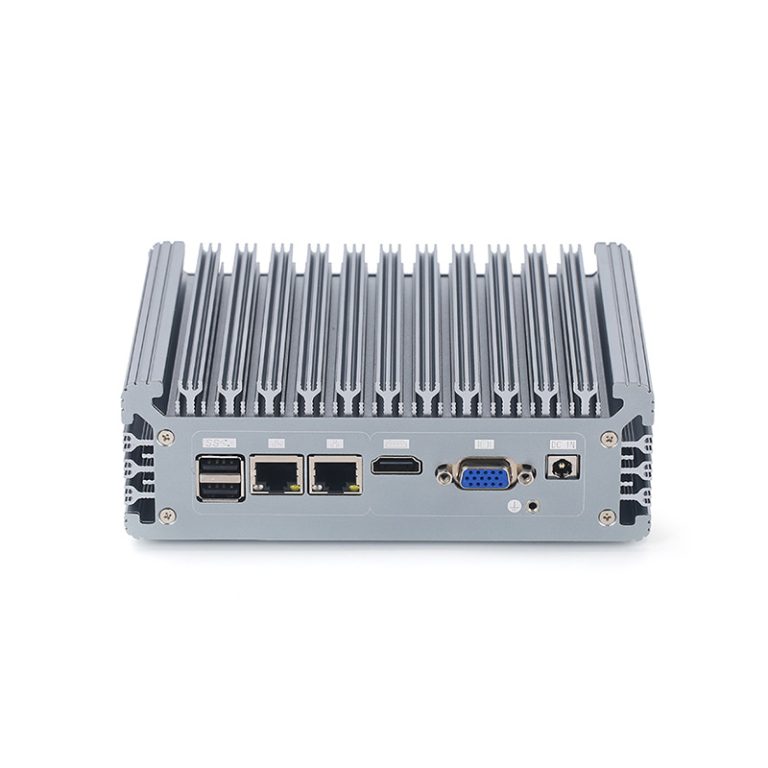
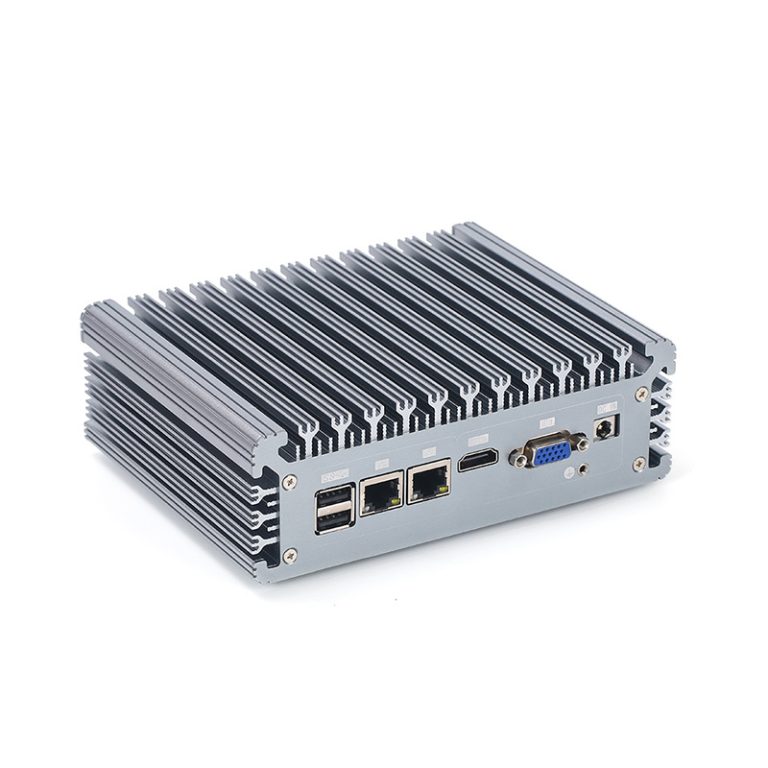
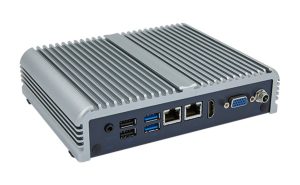
A fanless industrial PC is a computer built for tough environments. You use it in places where dust, vibration, or temperature changes can damage regular computers. This type of PC does not use fans for cooling. Instead, it relies on passive cooling methods. You often find a fanless industrial pc in factories, warehouses, or outdoor kiosks.
You get a sealed enclosure with a fanless design. This protects the internal parts from dust and debris. The system can run for long periods without overheating. You can trust it for mission-critical tasks.
How Fanless Cooling Works
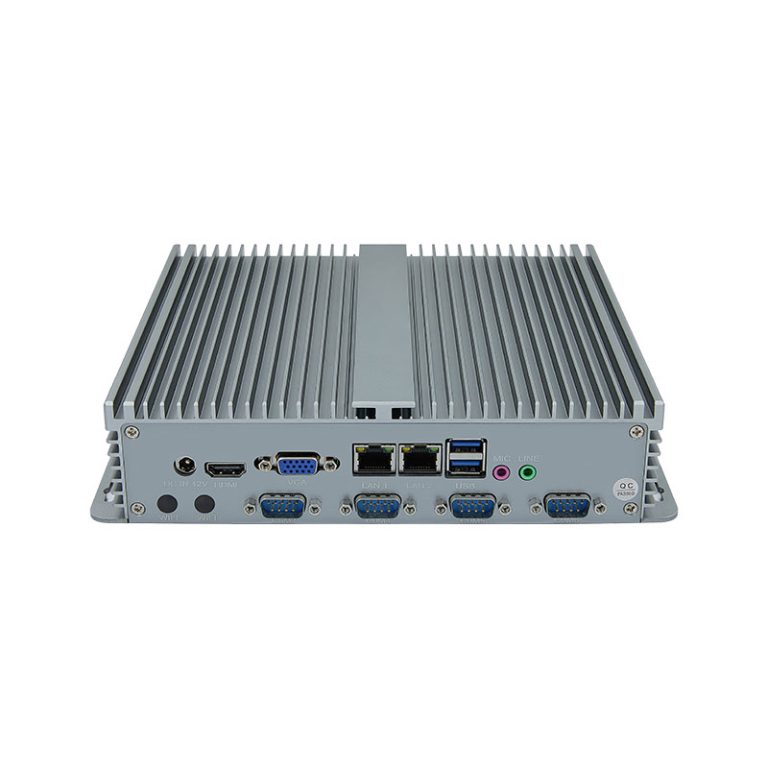
Fanless cooling uses heat sinks and thermal conduction. The system moves heat away from the processor and other components. The enclosure often acts as a giant heat sink. You do not need moving parts like fans.
You benefit from a quieter operation. The lack of fans means no noise. You also save energy because the system does not power any fans.
Unique Features of Fanless Design
Fanless design brings several unique advantages. You get silent operation, which is important in noise-sensitive environments. You also enjoy lower maintenance. No fans mean fewer parts that can break or need cleaning.
Here are some key features you should look for in a fanless industrial pc:
- Sealed chassis: Keeps out dust, dirt, and moisture.
- Wide temperature range: Operates in hot or cold settings.
- Shock and vibration resistance: Handles rough conditions.
- Flexible mounting options: Fits into tight or unusual spaces.
You can rely on a fanless industrial pc for long-term use. The design helps extend the lifespan of your equipment. You also reduce downtime and maintenance costs.
A fanless system gives you peace of mind. You know it will keep running even when conditions get tough. You make a smart choice for industrial applications.
Why Choose a Fanless Model
Reliability and Durability
You need a system that keeps working, even in tough conditions. A fanless industrial pc gives you high reliability because it has no moving parts that can fail. The sealed design protects the internal components from dust, moisture, and debris.
You can trust a fanless system to handle shocks and vibrations. This durability makes it perfect for factories, transportation, and outdoor use. You reduce the risk of breakdowns and keep your operations running smoothly.
Silent Operation
Noise can be a problem in many workplaces. A fanless design means you get silent operation. You do not hear the constant hum or whir of fans.
This quiet environment helps you focus and improves comfort for workers. You can use a fanless industrial pc in offices, hospitals, or control rooms where silence matters. The lack of noise also means you can spot other important sounds in your environment.
Silent operation is ideal for:
-
- Medical labs
- Recording studios
- Retail spaces
Power Efficiency
You want to save energy and lower your costs. Fanless systems use less power because they do not need to run fans. This energy efficiency helps you meet green goals and reduces your electricity bills.
The thermal design of a fanless industrial pc moves heat away from the processor and other parts. You get stable performance without overheating. The system keeps processing tasks smoothly, even during long hours of use.
You also benefit from less heat in your workspace. This can help your other equipment last longer. You get better performance and lower maintenance needs.
Maintenance Advantages
You want a system that does not need constant attention. Fanless industrial PCs give you that advantage. You do not have to worry about cleaning or replacing fans.
A fanless design means fewer moving parts. This reduces the risk of mechanical failure. You spend less time and money on repairs.
Dust and debris can cause problems in traditional PCs. Fans pull in particles that build up inside the system. You avoid this issue with a sealed, fanless enclosure.
You do not need to open the case for regular cleaning. This saves you time and keeps your system running longer. You can focus on your work instead of maintenance tasks.
Here are some key maintenance advantages you get with a fanless industrial PC:
- Lower maintenance costs: You do not need to buy replacement fans or filters.
- Longer system life: Less wear and tear means your PC lasts longer.
- Reduced downtime: You avoid breakdowns caused by fan failure or dust buildup.
- Simpler upkeep: You do not need special tools or skills for maintenance.
You also benefit from easier installation. You can mount the system in hard-to-reach places. You do not need to access the PC often, so you can place it where it works best.
You can use fanless PCs in places where regular maintenance is hard. This includes outdoor kiosks, factory floors, and vehicles. You get reliable performance without extra effort.
A fanless design also helps with long-term planning. You can predict your maintenance schedule more easily. You do not face sudden failures from worn-out fans.
You save money over the life of your equipment. Lower maintenance needs mean fewer service calls and less downtime. Your total cost of ownership goes down.
You make a smart choice when you pick a fanless industrial PC. You get a system that works hard and needs little care. This lets you focus on your business goals.
Key Factors for Selection
Processing Power in Fanless Industrial PCs
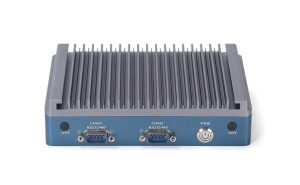
You must focus on processing power as one of the key factors when choosing an industrial pc. The right processor ensures your system can handle demanding tasks without slowing down. You should look for powerful processing options from Intel or AMD, as these brands offer reliable solutions for industrial environments.
You need to match processing power to application demands. For simple control tasks, a basic processor works well. For data analysis or machine vision, you need a more advanced CPU. Evaluating thermal requirements is also essential because fanless systems rely on efficient thermal management to prevent overheating.
Intel and AMD processors both offer strong performance and efficiency. You should compare their features based on your application. Considerations like cost, durability, and deployment flexibility will help you make the best choice for your industrial fanless pc.
Memory and Storage Needs
Memory and storage are essential criteria for any industrial pc. You need enough memory to run your applications smoothly. For most industrial uses, 4GB to 16GB of RAM is common, but you may need more for complex processing.
Storage type and size affect both performance and reliability. Solid-state drives (SSD) are better for industrial deployment because they resist shock and vibration. You should choose storage that matches your data needs and supports fast boot times.
You must balance cost and efficiency when selecting memory and storage. More capacity increases cost, but it also improves performance and durability. Always check the specifications to ensure they meet your industrial needs.
Connectivity Options
Connectivity is one of the key factors for flexible deployment in industrial settings. You need the right ports and wireless options to connect sensors, controllers, and networks. Common interfaces include USB, Ethernet, serial ports, and sometimes Wi-Fi or Bluetooth.
A good industrial pc offers multiple connectivity options for different devices. You should check the number and type of ports before buying. This ensures your pc can support all your equipment and allows for future upgrades.
Considerations for connectivity include the types of devices you plan to use and the layout of your workspace. Good connectivity options make deployment easier and improve overall system performance.
Environmental Resistance
You need to make sure your industrial pc can survive in harsh environments. Many industrial settings have dust, moisture, extreme temperatures, or vibrations. A fanless industrial pc with a sealed enclosure protects the internal components from these hazards.
You should check the operating temperature range before you buy. Some industrial pcs work in freezing cold or very hot places. Shock and vibration resistance also matter if you plan deployment in factories or vehicles.
Look for certifications like IP ratings. These ratings show how well the pc resists water and dust. You want a system that keeps working even when conditions get tough.
Power Supply Considerations
You must select a reliable power supply for your industrial pc. Industrial environments often have unstable power sources or voltage spikes. A good power supply protects your pc from damage and keeps it running smoothly.
Check if the pc supports a wide input voltage range. This feature helps you avoid problems during deployment in places with fluctuating power. Some industrial pcs offer redundant power inputs for extra reliability.
You should also consider power efficiency. A fanless system uses less energy, which lowers your operating cost. Efficient power management extends the life of your equipment and reduces heat buildup.
Certifications and Compliance
You need to verify that your industrial pc meets industry standards. Certifications prove that the pc can handle specific industrial requirements. Common certifications include CE, FCC, and UL.
These certifications show that the pc passed safety and performance tests. You should also check for compliance with environmental and safety regulations in your region. This step protects your investment and ensures legal deployment.
Some industries require special certifications for memory, storage, or connectivity. Always review the documentation before you buy. Certified pcs give you peace of mind and help you avoid costly mistakes.
Long-Term Support
You should always consider long-term support when choosing an industrial PC. This factor helps you keep your system running for many years. You avoid unexpected costs and downtime.
Manufacturers that offer long-term support provide regular updates and spare parts. You get access to firmware upgrades and security patches. This keeps your system safe and up to date.
You need to check if the vendor has a clear plan for product lifecycle management. This means they will help you with repairs and replacements even after the initial warranty ends. You can plan your budget and avoid sudden expenses.
A fanless industrial PC with strong long-term support gives you peace of mind. You know you can get help if something goes wrong. You also protect your investment over time.
Look for these signs of good long-term support:
- Clear warranty terms
- Guaranteed availability of spare parts
- Regular software and firmware updates
- Responsive technical support
You should also ask about upgrade options. Some vendors let you add memory or storage in the future. This helps your system grow with your needs.
You make a smart choice when you pick a system with strong support. You get reliable performance and lower total cost of ownership.
Purpose-Built for Industrial Demands
Industrial Fanless PC Applications
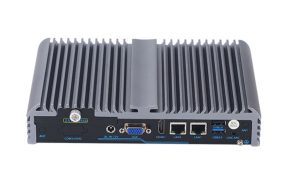
You find fanless industrial PCs in many industries. These systems work well in places where dust, vibration, or temperature changes are common. You can use them in factories, vehicles, and outdoor kiosks.
You see these PCs in control panels, automation lines, and monitoring stations. They also power digital signs and medical devices. Their sealed design helps them last longer in harsh conditions.
Matching Specs to Industry Needs
You must match the PC’s specs to your industry’s needs. Start by listing your main tasks. Decide if you need high processing power, extra memory, or special ports.
If you run simple controls, a basic model works well. For data analysis or machine vision, pick a PC with a strong CPU and more RAM. Always check the temperature range and mounting options.
| Industry | Key Specs Needed |
|---|---|
| Manufacturing | Shock resistance, I/O ports |
| Transportation | Wide temp range, compact |
| Healthcare | Silent, reliable, easy clean |
| Retail | Multiple display outputs |
Real-World Use Cases
Manufacturing and Automation
You use fanless PCs to control machines and robots. These systems track production and collect data. You get stable performance even with dust and vibration.
Transportation and Logistics
You install fanless PCs in trucks, trains, and ships. They handle GPS, tracking, and communication. Their rugged build keeps them working on the move.
Energy and Utilities
You monitor power plants and grids with these PCs. They survive heat, cold, and moisture. You can trust them for non-stop operation.
Healthcare and Medical Devices
You find fanless PCs in labs and hospitals. They run medical devices and patient monitors. Their silent operation helps keep the environment calm.
Retail and Digital Signage
You use fanless PCs for kiosks and digital signs. They display ads and information all day. Their low maintenance keeps costs down.
Conclusion
Selecting the right Fanless Industrial PC ensures reliable, quiet, and low-maintenance performance in demanding environments. By considering factors like processing power, connectivity, environmental resistance, and long-term support, you can match the system to your operational needs and reduce downtime. These rugged, energy-efficient PCs deliver consistent results across industries—from manufacturing to healthcare—making them a smart, long-term investment for businesses that require durable and efficient computing solutions.