Choosing the right industrial display solution is critical for efficiency, reliability, and long-term performance in automation and control systems. Understanding the differences between Industrial Panel PC vs Industrial Monitor helps engineers and buyers select the most suitable option for their specific applications, whether for integrated computing or display-only needs. This article breaks down their key features, advantages, and selection factors to guide your decision.
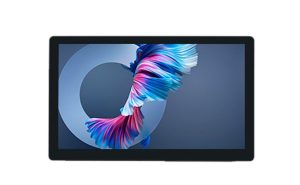
Industrial Panel PC And Industrial Monitor Overview
What Is An Industrial Panel PC
An industrial panel pc is an all-in-one device. It combines a computer, a display, and often a touchscreen in a single unit. This design makes it easy to install in many industrial settings. The panel pc can handle tough environments like factories or warehouses. It often comes with a rugged case that protects it from dust, water, and vibration. Many models support different mounting options, such as wall or panel mounting.
What Is An Industrial Monitor
An industrial monitor is a display made for harsh industrial environments. It does not have a built-in computer. You must connect it to an external computer or controller. This setup gives you more flexibility. You can upgrade or replace the computer without changing the monitor. Some industrial monitors also support touchscreen features, making them easy to use in control rooms or on the factory floor.
The main difference between these two devices is integration. The panel pc is an all-in-one system, while the industrial monitor needs an external computer. Both devices are built to last in tough industrial conditions. Your choice depends on your need for integration or flexibility.
Key Features Of Panel PC And Monitor
Industrial Panel PC Features
An industrial panel pc is an all-in-one device. It combines a display, computer, and often a touchscreen in one unit. This design saves space and reduces cable clutter.
Panel pcs often have rugged enclosures. These cases protect against dust, water, and vibration. Many models support wall, panel, or VESA mounting.
Industrial Monitor Features
An industrial monitor is a display made for harsh settings. It does not include a built-in computer. Users must connect it to an external computer or controller.
This setup allows for easy upgrades and better scalability. The monitor can stay in place while the computer changes. Many industrial monitors offer flexible mounting options.
A table below highlights the main differences:
| Feature | Panel PC (All-in-One) | Industrial Monitor |
|---|---|---|
| Built-in Computer | Yes | No |
| Touchscreen | Often | Sometimes |
| Rugged Design | Yes | Yes |
| Scalability | Limited | High |
Touchscreen Types In Panel PCs
Panel pcs often use different touchscreen technologies. The most common types are resistive and capacitive. Resistive touchscreens work with gloves or styluses, making them ideal for dirty or wet environments.
Capacitive touchscreens offer better clarity and faster response. They are best for clean settings where users need high accuracy. Some panel pcs also support multi-touch for advanced controls.
Pros and Cons of Industrial Panel PC and Industrial Monitor
Panel PC Pros And Cons
An industrial panel pc offers an all-in-one solution. This device combines display, computer, and touchscreen in one unit. It saves space and reduces cable clutter.
Pros:
- Easy installation in tight spaces.
- Rugged design resists dust, water, and vibration.
- High processing power supports demanding industrial tasks.
- Touchscreen interface improves user interaction.
- Fewer components mean less maintenance.
Cons:
- Limited flexibility for upgrades or changes.
- If one part fails, the whole unit may need repair.
- Higher initial cost compared to a monitor alone.
- Replacement can be more expensive.
Industrial Monitor Pros And Cons
An industrial monitor is a display built for tough environments. It connects to an external computer or controller. This setup gives users more options for upgrades.
Pros:
- High flexibility for system upgrades.
- Easy to replace or upgrade the computer without changing the monitor.
- Lower initial cost than an all-in-one device.
- Durable design withstands harsh industrial conditions.
Cons:
- Requires more space for separate components.
- More cables can lead to clutter.
- Setup and maintenance may take more time.
- Processing power depends on the connected computer.
| Feature | Panel PC (All-in-One) | Industrial Monitor |
|---|---|---|
| Productivity | High, integrated system | Varies, depends on computer |
| Flexibility | Limited | High |
| Durability | Excellent | Excellent |
| Upgrade Options | Limited | Easy |
| Cost | Higher upfront | Lower upfront |
Industrial Use Cases
When To Use An Industrial Panel PC
An industrial panel pc works well in environments where space is limited. Many factories use this all-in-one device to control machines directly on the production line. The rugged design protects it from dust, water, and vibration.
Panel pc units often appear in food processing plants. Workers can operate them with gloves, thanks to special touchscreen options. These devices also fit well in kiosks or automated systems that need reliable, continuous operation.
When To Use An Industrial Monitor
An industrial monitor is best for setups that require flexibility. Control rooms often use these monitors because they connect to powerful external computers. This setup allows for easy upgrades and changes to the computer system.
Large manufacturing plants may use several monitors connected to one central computer. This approach helps reduce cost when you need many screens but only a few computers. Industrial monitors also work well in environments where the display must be far from the computer, such as hazardous areas.
- Use an industrial monitor if you want to upgrade your computer system often.
- Select this option when you need to spread displays across a wide area.
- Consider a monitor for applications that demand high flexibility and easy maintenance.
Cost And Value Analysis
Initial Cost Comparison
The initial cost of an all-in-one panel PC is usually higher than that of an industrial monitor. This is because the panel PC includes both the computer and the display in one device. An industrial monitor requires a separate computer, so the upfront cost may seem lower at first.
A table can help compare the two options:
| Device Type | Upfront Cost | Included Components |
|---|---|---|
| Panel PC (All-in-One) | Higher | Display, Computer, Touchscreen |
| Industrial Monitor | Lower | Display Only |
When planning a budget, remember to include the price of the external computer for the monitor setup. The total cost can increase if you need high-performance computers.
Long-Term Value And Maintenance
Long-term value depends on how often you need to upgrade or replace parts. An industrial monitor offers more flexibility. You can upgrade the computer without changing the monitor, which can lower future costs.
Maintenance for a panel PC is simple because it is a single unit. If one part fails, you may need to replace the whole device. This can lead to higher replacement costs over time.
An industrial monitor setup may require more maintenance for cables and connections. However, replacing only the computer or the monitor can be more cost-effective in the long run.
- Choose a panel PC for easy maintenance and a compact design.
- Select an industrial monitor if you want lower upgrade costs and more flexibility.
Choosing The Right Industrial Solution
Operational Requirements
Every industrial application has unique operational requirements. Some environments need fast performance for real-time control. Others require scalability to handle future growth or changes.
A simple checklist can help you decide:
- Do you need an all-in-one device for space-saving and easy installation?
- Will your system need frequent upgrades or expansion?
- Is high processing power important for your tasks?
Environmental Considerations
Industrial settings often expose devices to dust, moisture, and vibration. Panel PCs usually have rugged cases that protect against these hazards. Monitors also offer durable designs but may need extra protection for cables and external computers.
Consider the following factors:
- Temperature range in your facility
- Exposure to water or chemicals
- Amount of dust or debris in the area
| Environment Factor | Panel PC | Monitor |
|---|---|---|
| Dust Resistance | High | High |
| Water Protection | High | Medium |
| Vibration | High | Medium |
Integration And Compatibility
Integration and compatibility play a key role in system design. Panel PCs offer simple integration because they combine display and computing in one unit. Monitors provide flexibility and can connect to different computers or controllers.
Think about these points:
- Will your device need to connect with existing equipment?
- Do you require compatibility with specific software or hardware?
- Is easy integration important for your workflow?
Selecting the right solution depends on your operational requirements, environmental conditions, and integration needs. Review each factor carefully to make the best choice for your industrial setup.
Conclusion
Industrial panel PCs offer an all-in-one touchscreen computer and all-in-one solution for a compact control station or machine-mounted hmi. Industrial monitor solutions provide flexible system layout, easy future upgrades, and connect to an industrial box pc or rugged computer. An all-in-one pc suits environments needing a touchscreen user interface and lcd touchscreen, while an industrial monitor fits setups requiring upgrades and lower total cost of ownership. Evaluate your industrial computer needs, consider value and long-term strategy, and consult experts before making a purchase.