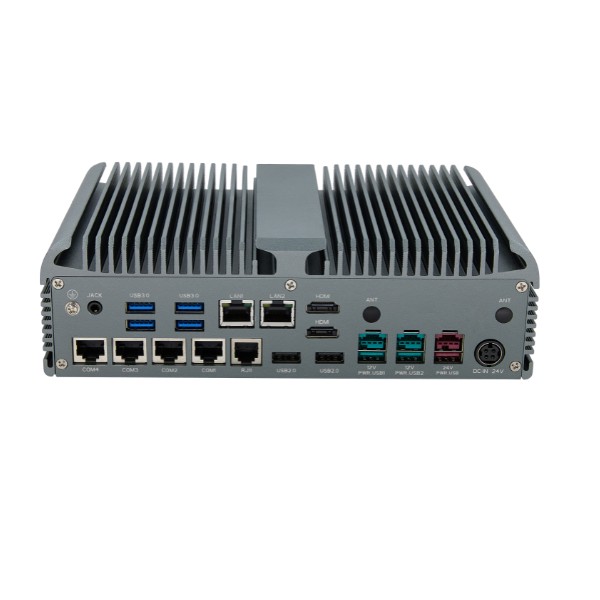
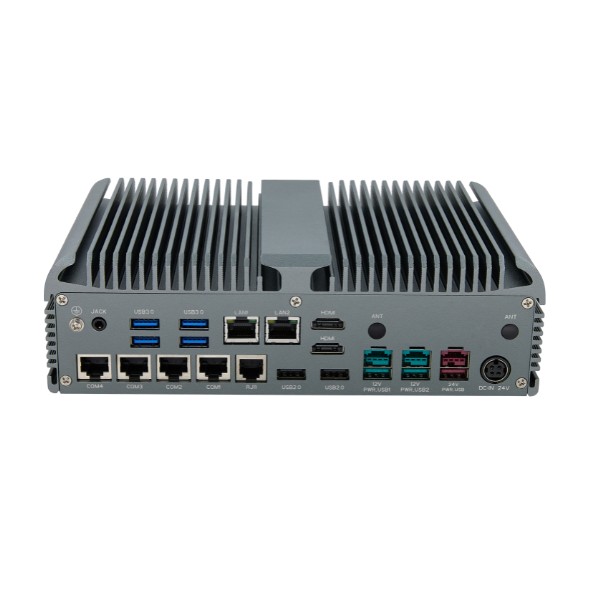
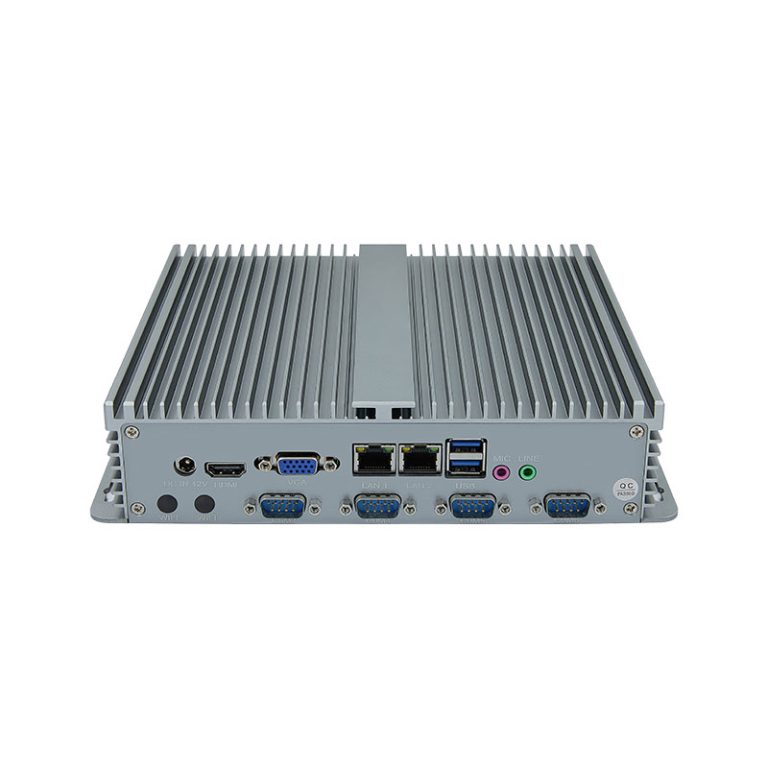
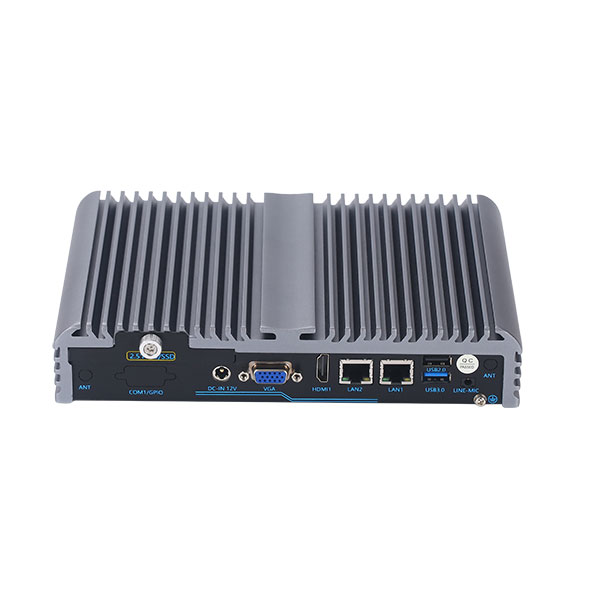
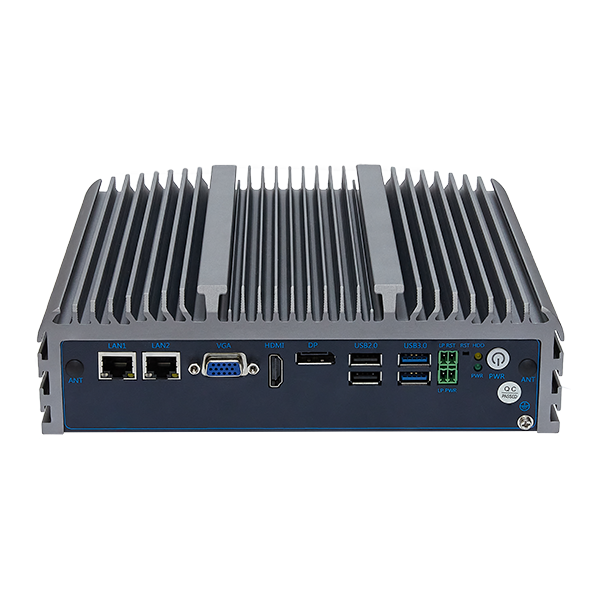
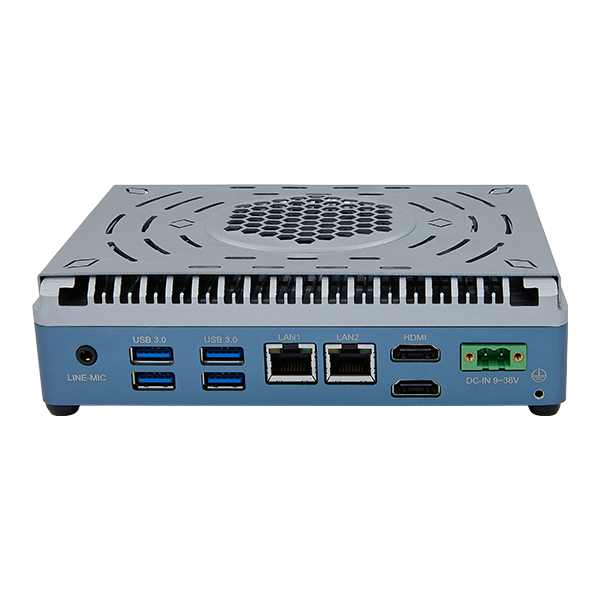
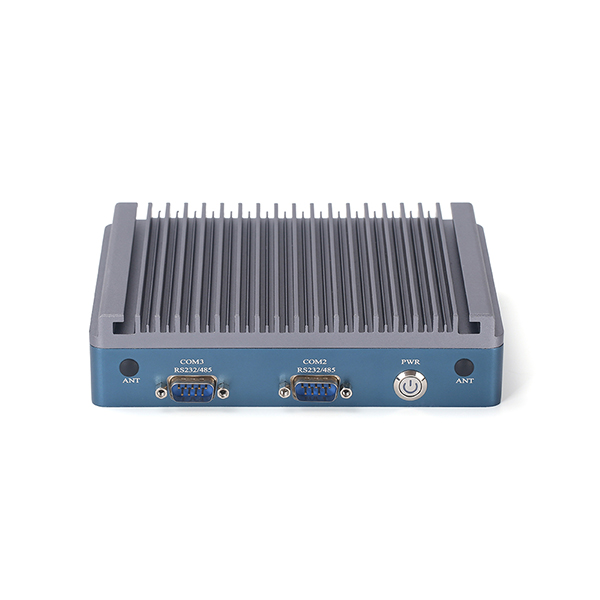
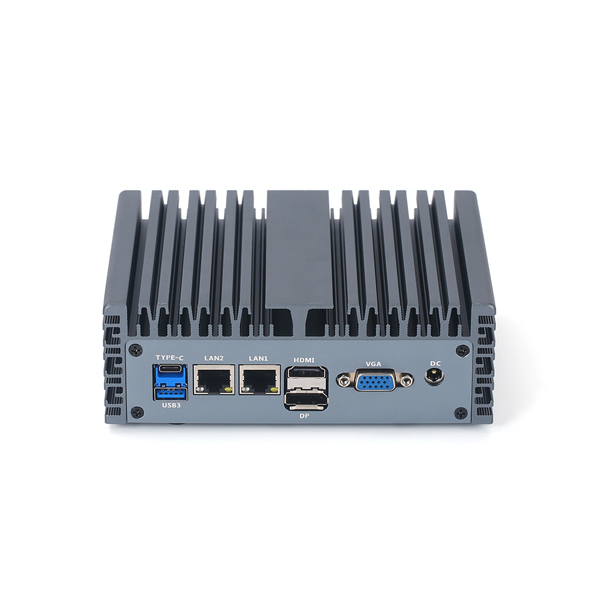
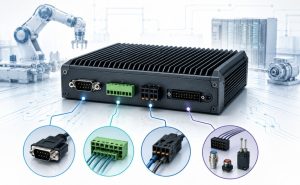
RS232 allows devices to send and receive data using serial communication. RS485 supports communication over longer distances and connects multiple devices in industrial environments. CAN Bus enables reliable data exchange between control systems, while GPIO provides simple signal input and output for integration with sensors or switches. These interfaces play vital roles in industrial automation, where proper integration ensures stable operation. Understanding their differences helps users choose the right interface for each integration need.
Why Industrial PC Interfaces Matter
Industrial PCs Need More Than Standard Computer Ports
Industrial PCs operate in environments where standard computer ports do not meet all requirements. Many machines and sensors in factories use specialized interfaces to communicate. These interfaces help connect devices to the network and support industrial automation.
Interfaces Determine Device Compatibility
The choice of interface affects which devices can join the network. Some devices only work with RS232, while others need RS485 or CAN Bus. GPIO allows simple control of switches and sensors, making it useful for basic signal tasks.
| Interface | Device Type | Typical Use |
|---|---|---|
| RS232 | Single device | Short-distance communication |
| RS485 | Multiple devices | Long-distance network |
| CAN Bus | Controllers | Reliable industrial network |
| GPIO | Sensors/Switches | Signal input/output |
Selecting the right interface ensures that each device fits into the industrial network. Compatibility prevents communication errors and supports stable operation.
The Right Interfaces Improve System Stability and Expansion
Proper interfaces help maintain a stable industrial network. They reduce signal interference and allow more devices to connect without problems. Expansion becomes easier when the network uses the correct ports and protocols.
- Stable interfaces protect data integrity.
- Expansion is possible when the network supports multiple devices.
- Industrial systems benefit from flexible and reliable connections.
Choosing the right interface supports future growth and keeps the industrial network running smoothly.
Common Industrial PC Interfaces Explained
RS232: For Short-Distance Serial Communication
RS232 is a common serial communication protocol used in industrial environments. It connects devices like sensors or controllers over short distances. RS232 supports reliable data transmission between a single device and an industrial PC.
RS232 is often used for modbus rtu communication. It provides stable data reliability for industrial control systems.
RS485: For Long-Distance and Multi-Device Communication
RS485, also known as rs-485, is designed for industrial network setups that require long-distance communication. It allows multiple devices to connect to a single network, making it suitable for large industrial installations. RS485 supports modbus rtu and modbus tcp protocols, which are widely used in industrial control.
RS485 improves reliability by reducing signal interference. It is used for industrial data acquisition and control systems that need robust communication. RS485 is preferred when data reliability and network expansion are important.
| Feature | RS485 Benefit |
|---|---|
| Distance | Up to 1200 meters |
| Devices | Up to 32 nodes |
| Reliability | High signal integrity |
CAN Bus: For Reliable Control System Communication
CAN bus is a communication protocol used in industrial control systems. It connects controllers and devices in a network, allowing reliable data exchange. CAN bus is known for its reliability and ability to handle multiple devices.
CAN bus supports real-time control and data transmission. It is used in environments where reliability and data integrity are critical. CAN bus is common in factory automation and industrial network applications.
CAN bus is often used for modbus rtu and industrial control tasks. It ensures data reliability and supports flexible network expansion.
GPIO: For Simple Signal Input and Output Control
GPIO stands for General Purpose Input/Output. It allows industrial PCs to control simple devices like switches or sensors. GPIO is used for basic signal tasks, such as turning devices on or off.
GPIO does not use a communication protocol like rs232, rs485, or can bus. It is ideal for direct control of devices in industrial automation. GPIO supports simple data acquisition and signal control.
GPIO is essential for industrial environments where quick signal input and output are needed.
RS232 vs RS485 vs CAN Bus vs GPIO: Key Differences
Communication Type
RS232 uses point-to-point serial communication. It connects one device to another for simple data exchange. RS485 and rs-485 both use differential signaling, which helps reduce noise during transmission.
RS485 supports multi-point communication. This means many devices can share the same line. CAN bus uses a message-based protocol, which allows devices to send and receive messages on the same network.
CAN bus is popular in control systems because it supports real-time data exchange. GPIO does not use a communication protocol. It sends or receives simple on/off signals for basic control tasks.
Transmission Distance
RS232 works best for short transmission distances, usually less than 15 meters. It is sensitive to noise and signal loss over longer cables. RS485 and rs-485 can handle much longer transmission distances, up to 1200 meters.
CAN bus supports medium transmission distances, often up to 40 meters at high speeds. Lower speeds allow longer cables, but the main focus is on reliability and error detection. GPIO is limited to very short distances, usually within the same device or control panel.
Number of Connected Devices
RS232 connects only two devices at a time. It cannot support more than one device per port. RS485 and rs-485 allow up to 32 devices on a single network, making them ideal for industrial setups.
CAN bus can connect many devices, sometimes over 100, depending on the network design. Each device on a CAN bus can send and receive messages, which improves flexibility. GPIO usually controls a few devices, such as sensors or switches, and does not support networking.
Typical Industrial Applications
RS232 is common in legacy industrial equipment. It is used for simple data logging and device configuration. RS485 and rs-485 are found in building automation, motor control, and remote data acquisition.
CAN bus is widely used in factory automation, robotics, and automotive control systems. It provides high reliability, fast error detection, and strong data reliability. GPIO is best for tasks like turning on alarms, reading sensor states, or controlling lights.
| Interface | Communication Type | Max Distance | Max Devices | Typical Use |
|---|---|---|---|---|
| RS232 | Point-to-point | 15m | 2 | Device setup, data logging |
| RS485 | Multi-point | 1200m | 32 | Automation, remote sensors |
| CAN Bus | Message-based | 40m+ | 100+ | Control systems, robotics |
| GPIO | Signal I/O | 1m | 8-32 | Alarms, switches, lights |
Practical Advice for Connecting and Configuring Interfaces
Always check the device manuals before connecting interfaces. Use shielded cables for rs485, rs-485, and can bus to reduce noise and improve reliability. For long transmission lines, terminate the network properly to prevent signal reflection and error.
Protocol converters help bridge different communication types. For example, rs232 to can and can to rs485 converters allow older devices to join modern networks. Choose converters that support error detection and data reliability features.
GPIO expansion boards can add more input and output points to your industrial PC. This helps control more devices without changing the main system. Test all connections before starting the system to avoid error and ensure proper detection.
How to Choose the Right Interfaces
Check the Devices You Need to Connect
Start by listing all devices that require integration with your industrial PC. Each device may use a different communication protocol, such as rs232, rs485, rs-485, or can. Some sensors use modbus rtu, while others rely on modbus tcp or simple GPIO signals.
Review the technical specifications for each device. Identify if they need point-to-point or multi-device connections. Devices for data acquisition often use rs485 or rs-485 because these support multiple nodes and longer transmission distances.
Consider Communication Distance and Environment
Transmission distance plays a key role in interface selection. Rs232 works for short cables, but rs485 and rs-485 can handle distances up to 1200 meters. Can supports medium distances and provides strong error detection.
Industrial environments often have electrical noise and temperature changes. Choose interfaces that offer industrial-grade stability and robust wiring. Rs485, rs-485, and can use differential signaling, which reduces interference during transmission.
| Interface | Max Distance | Noise Resistance | Typical Use |
|---|---|---|---|
| RS232 | 15m | Low | Device setup |
| RS485 | 1200m | High | Data acquisition |
| CAN | 40m+ | Very High | Control systems |
Confirm Protocol and Software Compatibility
Check if your devices and software support the same communication protocol. Modbus rtu and modbus tcp are common in industrial automation. Rs485, rs-485, and can often support these protocols for easy integration.
Software must recognize the interface and protocol. Some systems require drivers or special configuration. Always test compatibility before full deployment to avoid integration issues.
Plan for Future Expansion
Think about future needs when choosing interfaces. Rs485 and rs-485 allow up to 32 devices on one network. Can can connect even more devices, which helps when expanding your system.
Choose interfaces that support easy integration and network growth. GPIO can add simple control points, but it does not support networking. For large-scale data acquisition, rs485, rs-485, and can are better choices.
Comparing Technical Characteristics
When comparing interfaces, look at voltage levels, wiring types, and robustness. Rs232 uses single-ended signals and simple wiring. Rs485 and rs-485 use twisted pair cables for differential signaling, which improves transmission reliability.
Can uses a message-based system and supports advanced error detection. GPIO uses direct wiring for on/off signals. Industrial environments require interfaces that can handle electrical noise and physical stress.
| Interface | Voltage Level | Wiring Type | Robustness |
|---|---|---|---|
| RS232 | ±12V | Simple | Low |
| RS485 | -7V to +12V | Twisted Pair | High |
| CAN | 2.5V (typical) | Twisted Pair | Very High |
| GPIO | 3.3V/5V | Direct | Medium |
Integration Best Practices
Use shielded cables for rs485, rs-485, and can to reduce noise. Always terminate long transmission lines to prevent signal reflection. For modbus rtu and modbus tcp, verify that all devices use the same communication protocol.
Expansion boards can add more GPIO points for simple control tasks. Protocol converters can help connect devices with different interfaces. Test all connections before starting your system to ensure reliable integration.
Common Interface Selection Mistakes to Avoid
Choosing Too Few I/O Ports
Many users underestimate the number of input and output ports needed for their system. This mistake can limit future expansion and force costly upgrades. It is important to plan for extra connections, as industrial systems often grow over time.
Ignoring Industrial Environment Requirements
Some environments have high temperatures, vibration, or electrical noise. Standard interfaces may not work well in these conditions. Choosing the wrong interface can lead to frequent error messages or device failures.
A table can help compare interface suitability:
| Environment Factor | RS232 | CAN | GPIO |
|---|---|---|---|
| High Noise | Low | High | Low |
| Vibration | Medium | High | Medium |
CAN works well in harsh environments. It can handle noise and vibration better than many other options.
Confusing Signal Control with Data Communication
Signal control and data communication are not the same. GPIO can turn devices on or off, but it cannot send complex data. CAN and rs485 can transfer large amounts of information between devices.
Mistaking one for the other can cause system error or failed automation tasks. Always match the interface to the task.
Overlooking Custom Interface Options
Some projects need custom solutions. Standard ports may not fit every industrial application. Custom interface cards or adapters can solve unique challenges.