Selecting the right industrial panel PC is a critical decision that directly impacts operational efficiency, system reliability, and long-term return on investment. Unlike commercial computing solutions, industrial panel PCs must withstand harsh environmental conditions, continuous operation, and demanding application requirements. This guide examines the essential factors to evaluate when choosing an industrial panel PC for your specific application.
Types of Industrial Panel PCs
Understanding the different categories of industrial panel PCs is the first step toward making an informed selection. Each type offers distinct advantages depending on the deployment environment and operational requirements.
Fanless and Fan-cooled Designs
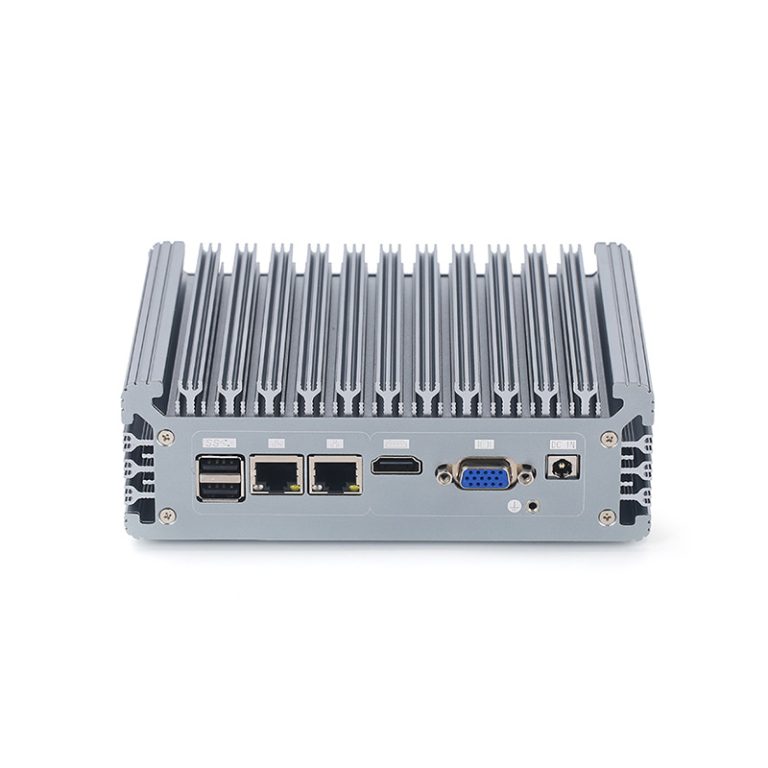
Fanless industrial panel PCs use passive heat dissipation through aluminum or magnesium alloy chassis, eliminating moving parts that can fail or introduce dust accumulation. This design is ideal for environments with airborne particulates, high humidity, or where noise levels must be minimized. Fan-cooled designs, by contrast, accommodate higher-performance processors by actively managing thermal output, making them suitable for compute-intensive applications in relatively controlled environments.
- Fanless designs: Silent operation, low maintenance, suitable for dusty or humid environments
- Fan-cooled designs: Higher thermal capacity, supports powerful processors, requires periodic maintenance
All-in-one and Modular Systems
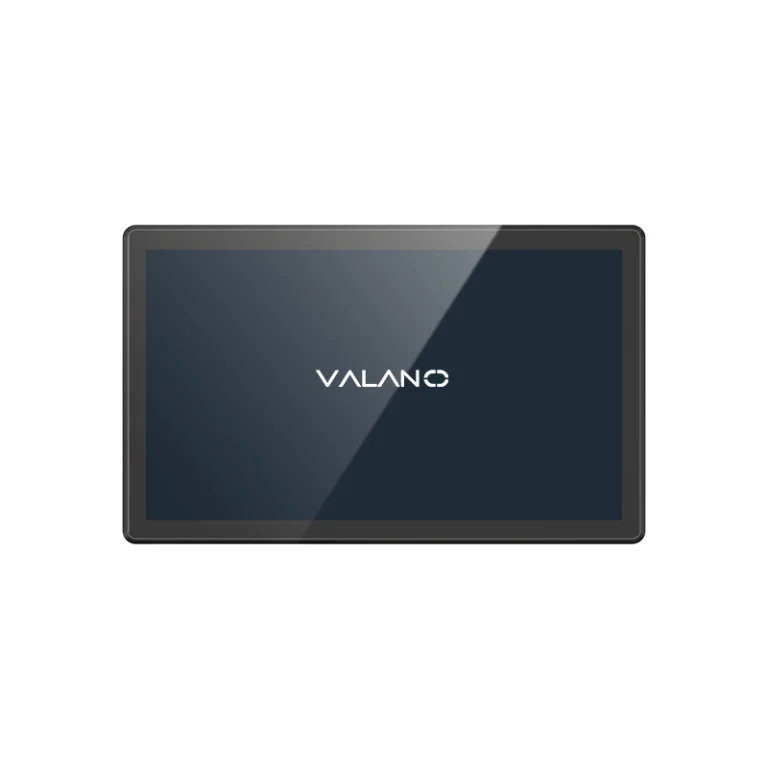
All-in-one (AIO) industrial panel PCs integrate the display, processing unit, and I/O into a single enclosure, simplifying installation and reducing cable clutter. Modular systems separate the display panel from the computing module, allowing operators to upgrade hardware components independently without replacing the entire unit — a cost-effective approach for applications where technology evolves faster than the physical installation.
Application-specific Models
Several industries benefit from purpose-built panel PC configurations tailored to their unique challenges:
Manufacturing
Manufacturing environments demand panel PCs with robust shock and vibration resistance, wide operating temperature ranges, and compatibility with industrial communication protocols such as PROFINET, EtherNet/IP, and Modbus. Bright displays with anti-glare coatings are essential for visibility on busy production floors.
Food Processing
Food processing facilities require panel PCs with IP65 or higher ingress protection ratings to withstand washdowns, disinfectants, and high-pressure cleaning. Stainless steel enclosures, smooth surfaces without crevices, and compliance with food-grade material standards are often mandatory.
Transportation
Transportation applications — including fleet management, railway control, and logistics — require panel PCs certified for vibration resistance (EN 50155 or MIL-STD-810), wide voltage input ranges to handle power fluctuations in vehicle environments, and sunlight-readable displays for outdoor visibility.
Mounting Options
The mounting configuration directly affects accessibility, ergonomics, and installation complexity:
- Panel Mount: Flush-mounted into control panels or machine enclosures, providing a clean integrated appearance and protection against accidental impacts.
- VESA Mount: Compatible with standard VESA hole patterns (75x75mm or 100x100mm), offering flexibility to use standard arm mounts, wall brackets, or floor stands.
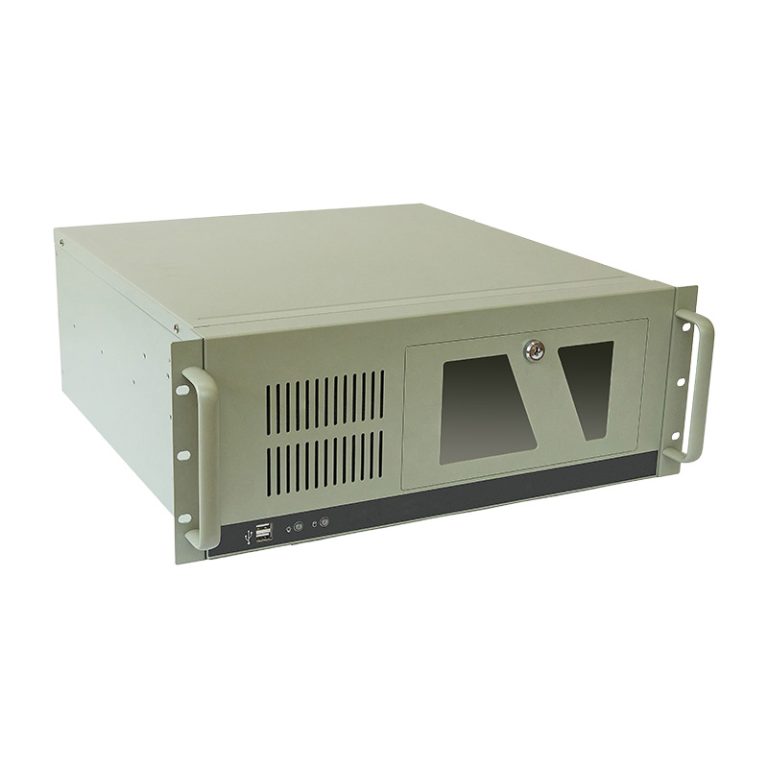
- Rack Mount: Designed for 19-inch equipment racks, ideal for centralized control rooms, server rooms, or telecommunications enclosures.
Key Factors for Industrial Panel PC Selection
Ruggedness and Durability
Industrial environments subject equipment to physical stresses that would quickly disable commercial-grade hardware. Evaluating ruggedness requires a detailed assessment of the expected operating conditions.
Shock and Vibration Resistance
Industrial panel PCs should conform to MIL-STD-810G/H or IEC 60068 standards for shock and vibration tolerance. Solid-state storage, reinforced mounting hardware, and conformal-coated circuit boards significantly improve resilience. Verify that manufacturer specifications align with the actual shock profiles and vibration frequencies present in your installation.
Corrosion and Chemical Resistance
Exposure to chemicals, cleaning agents, saltwater, or industrial solvents necessitates enclosures made from corrosion-resistant materials such as anodized aluminum, stainless steel, or specialized polymer composites. The front panel gasket material should also be chemically compatible with the substances present in the environment.
Performance Requirements
Matching processing power to application demands prevents both underperformance and unnecessary cost. Overpowering a simple HMI application wastes budget; underpowering a real-time data acquisition system compromises reliability.
Processor Selection
Industrial panel PCs typically utilize Intel Core processors (i3/i5/i7/i9) for high-performance applications, Intel Atom or Celeron for power-efficient mid-range deployments, and ARM-based processors for lightweight, long-lifecycle embedded applications. Consider not only clock speed but also thermal design power (TDP), as high-TDP processors may require active cooling that conflicts with environmental requirements.
Memory (RAM)
Minimum RAM requirements depend on the operating system and application complexity. A basic HMI may function with 4GB, while SCADA systems, machine vision applications, or edge AI workloads may require 16GB to 64GB. Industrial DDR4 or LPDDR5 memory with ECC (Error-Correcting Code) support is advisable for mission-critical applications where data integrity is paramount.
Storage (SSD vs. HDD, Capacity)
Solid-State Drives (SSDs) are strongly preferred in industrial applications due to their resistance to shock, vibration, and extreme temperatures, as well as their faster boot times and lower power consumption. Industrial-grade SSDs with extended temperature ratings (-40°C to +85°C) and high mean time between failures (MTBF) should be specified. Mechanical Hard Disk Drives (HDDs) may still be appropriate for high-capacity data logging applications where the unit is not subject to vibration.
Connectivity Options
Connectivity requirements vary widely across industrial applications. A comprehensive I/O audit during the planning phase prevents costly modifications after deployment.
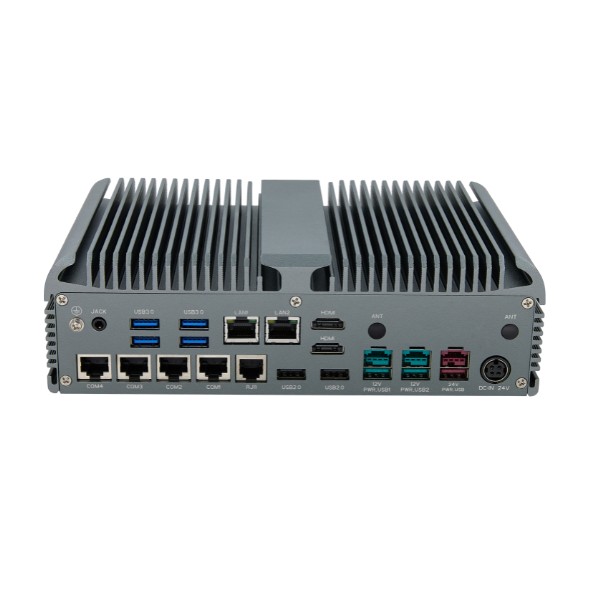
- USB Ports: USB 3.2 Gen 2 ports are standard for high-speed peripheral connections. Industrial environments may benefit from locking USB connectors that resist accidental disconnection from vibration.
- Ethernet: Dual Gigabit Ethernet ports allow simultaneous connection to enterprise networks and isolated machine networks. Some industrial panel PCs support 2.5GbE or 10GbE for bandwidth-intensive applications.
- Serial Ports: Legacy industrial equipment frequently relies on RS-232 and RS-485/422 serial communication. Multiple isolated serial ports with surge protection are important for interfacing with PLCs, sensors, and older instrumentation.
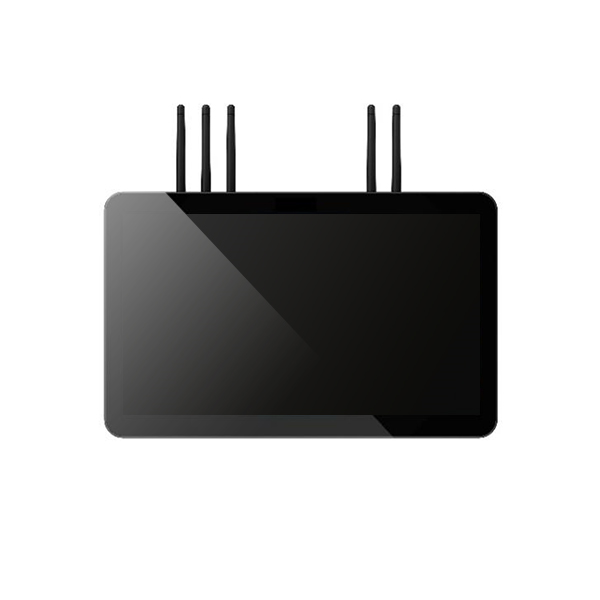
- Wireless (Wi-Fi, Bluetooth, Cellular): Integrated 802.11ax (Wi-Fi 6) modules support high-throughput wireless connectivity. Industrial-grade cellular modules (4G LTE / 5G) enable remote monitoring and management in locations without fixed network infrastructure.
Display and Touchscreen
The display is the primary operator interface and must be optimized for the specific working environment, lighting conditions, and user interaction patterns.
Screen Size and Resolution
Industrial panel PCs are available from compact 7-inch configurations suitable for machine-embedded HMIs to 24-inch widescreen displays for complex SCADA visualization. Resolution should be matched to the viewing distance and the density of information displayed — Full HD (1920×1080) is standard for most industrial applications, while 4K panels are appropriate for detailed quality inspection or multi-window workstation setups.
Brightness and Visibility
Indoor industrial environments typically require 500–800 nits of brightness, while outdoor or high-ambient-light applications demand sunlight-readable displays rated at 1,000 nits or higher. Anti-reflective coatings and optical bonding between the cover glass and LCD panel further improve outdoor visibility and eliminate internal condensation.
Touchscreen Types (Resistive, Capacitive, Infrared)
Resistive touchscreens respond to pressure from any stylus or gloved hand, making them ideal for environments where operators wear protective gloves. Projected Capacitive (PCAP) touchscreens offer superior clarity and multi-touch support but may require conductive gloves for gloved operation. Infrared (IR) touchscreens use optical grids to detect touch without physical overlay layers, providing excellent durability and compatibility with thick gloves, styluses, or moisture-laden environments.
Multi-touch and Gesture Support
Multi-touch PCAP screens support intuitive pinch-to-zoom and swipe gestures, reducing operator training time for modern HMI applications. Confirm that the panel PC’s drivers fully support the touch gesture APIs required by your software platform.
Mounting and Installation
Beyond the physical mount type, consider cable management requirements, accessibility for maintenance, and the structural load capacity of the mounting surface. Articulating arms and tilt/swivel mechanisms improve operator ergonomics in workstations where multiple operators at different heights access the same interface.
Cooling Solutions
Fanless Reliability
Fanless cooling eliminates the most common mechanical failure point in industrial computers. Heat pipe and vapor chamber designs combined with large external heatsinks enable fanless operation even with mid-range Intel Core processors, though the chassis must be mounted with adequate airflow clearance to facilitate convective cooling.
Active Cooling Maintenance
Fan-cooled units require periodic cleaning schedules to prevent dust accumulation and maintain airflow efficiency. Dust filters with easy tool-free access simplify maintenance. Smart fan monitoring with IPMI or BIOS-level alerts enables predictive maintenance before cooling failures cause system shutdowns.
IP Ratings and Environmental Protection
IP65, IP67, IP69K Explained
The IEC 60529 Ingress Protection (IP) rating system defines the degree of protection against solid particles and liquids. The front panel IP rating is most critical:
- IP65: Protected against dust ingress and low-pressure water jets from any direction — suitable for light-duty washdown and outdoor enclosures.
- IP67: Full dust protection and immersion in water up to 1 meter for 30 minutes — appropriate for environments subject to temporary flooding or submersion.
- IP69K: Full dust protection and resistance to high-pressure, high-temperature steam cleaning — mandatory for food processing, pharmaceutical, and chemical facilities requiring frequent aggressive washdowns.
Temperature and Moisture Resistance
Standard commercial computing hardware operates between 0°C and 40°C. Industrial panel PCs should specify an extended operating temperature range of -20°C to +60°C at minimum, with wide-temperature models covering -40°C to +85°C for extreme environments such as cold storage facilities, desert installations, or outdoor kiosks.
Compliance and Certifications
Regulatory certifications ensure that the panel PC meets safety and electromagnetic compatibility requirements for its target market and application:
- CE Marking (European Union): Confirms compliance with EU safety, health, and environmental protection standards.
- FCC Class A/B (United States): Ensures electromagnetic emissions do not interfere with other electronic equipment.
- UL/cUL Certification: Safety listing for electrical equipment used in North American markets.
- ATEX/IECEx Certification: Required for equipment deployed in potentially explosive atmospheres (Zone 1/2 gas, Zone 21/22 dust).
- EN 50155 (Railway): Certifies suitability for rolling stock and railway trackside applications.
Matching Panel PC Features to Industrial Needs
Selecting a panel PC requires systematic evaluation of the operating environment, workflow requirements, and application-specific demands. A structured needs assessment prevents both over-specification and under-specification.
Assessing Environmental Conditions
Conduct a thorough site survey before specifying hardware. Document the following environmental parameters:
- Ambient temperature range (minimum and maximum, including transient excursions)
- Presence and concentration of dust, particulates, oil mist, or airborne chemicals
- Vibration frequency and amplitude profiles from nearby machinery
- Cleaning methods and chemical agents used in the vicinity
- Ambient light levels and the presence of direct sunlight or high-intensity UV radiation
- Power quality characteristics, including voltage fluctuations and surge frequency
Workflow and User Interaction
User interaction patterns significantly influence display size, touchscreen type, and mounting configuration choices. Consider how operators will interact with the system:
- Standing vs. seated operators: Affects mounting height and tilt adjustability requirements
- Gloved operation: Determines touchscreen technology (resistive or IR preferred over PCAP)
- Single vs. multi-user access: Influences multi-touch requirements and login/authentication hardware
- Data entry intensity: High-frequency data entry may benefit from optional keyboard trays or barcode scanner integration
Application-specific Requirements
Different industrial applications impose unique technical constraints on panel PC selection. Machine vision systems require high-speed USB or GigE Vision interfaces and sufficient processing power for image analysis algorithms. Edge AI inference workloads benefit from panel PCs with integrated NVIDIA Jetson modules or Intel NPU acceleration. Real-time control applications may require deterministic operating system support (such as Windows IoT Enterprise LTSC or a real-time Linux variant) and precise timing hardware.
Budget and Cost-Benefit Analysis
While initial purchase price is a natural focus, a comprehensive cost analysis must account for the full lifecycle of the deployment. Industrial panel PCs with higher upfront costs frequently deliver substantially lower total cost of ownership.
Upfront and Long-term Costs
Upfront costs encompass the hardware purchase price, installation labor, mounting hardware, cable infrastructure, and initial software licensing. Long-term costs include power consumption over the system’s operational life, scheduled and unscheduled maintenance, spare parts availability, and the expense of software or driver updates as operating systems evolve.
Total Cost of Ownership
Total Cost of Ownership (TCO) analysis over a 5-to-10-year deployment horizon typically reveals that industrial-grade hardware justifies its price premium. Key TCO components to evaluate include:
- Mean Time Between Failures (MTBF): Higher MTBF ratings reduce unplanned downtime, which can cost thousands of dollars per hour in production environments
- Maintenance frequency and cost: Fanless, solid-state designs minimize scheduled maintenance intervals
- Power consumption: Industrial panel PCs with low-power processors reduce electricity costs over multi-year deployments
- Spare parts and service availability: Manufacturers offering 5+ year product lifecycle guarantees and long-term spare parts programs reduce obsolescence risk
Warranty and Support
Evaluate the manufacturer’s warranty terms carefully. Standard commercial warranties of one to three years are rarely adequate for industrial deployments intended to operate for 7 to 10 years. Prioritize vendors offering:
- Extended hardware warranties of 3–5 years with on-site repair options
- Guaranteed product availability periods to enable like-for-like replacements
- 24/7 technical support for mission-critical applications
- Long-term OS and security update commitments aligned with the deployment lifecycle
ROI Considerations
Return on investment for industrial panel PCs is driven by several measurable outcomes: reduction in unplanned downtime, improvement in operator efficiency through responsive and accurate touch interfaces, reduction in maintenance labor costs through reliable fanless designs, and compliance cost avoidance through certified equipment in regulated industries.
When quantifying ROI, benchmark the estimated annual downtime cost reduction against the price premium of industrial-grade hardware over commercial alternatives. In most manufacturing environments, even a single prevented production stoppage can recover the entire cost difference within the first year of operation.
Conclusion
Choosing the right industrial panel PC demands a structured evaluation process that balances environmental resilience, performance capabilities, connectivity requirements, and long-term cost considerations. By systematically assessing the deployment environment, understanding application-specific requirements, and performing a rigorous total cost of ownership analysis, procurement teams and engineers can confidently select solutions that deliver reliable performance throughout their operational lifecycle. Investing in properly specified industrial panel PCs is not merely a hardware decision — it is a strategic investment in operational continuity and productivity.