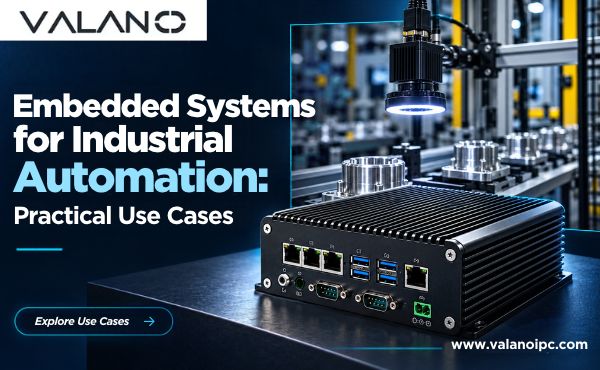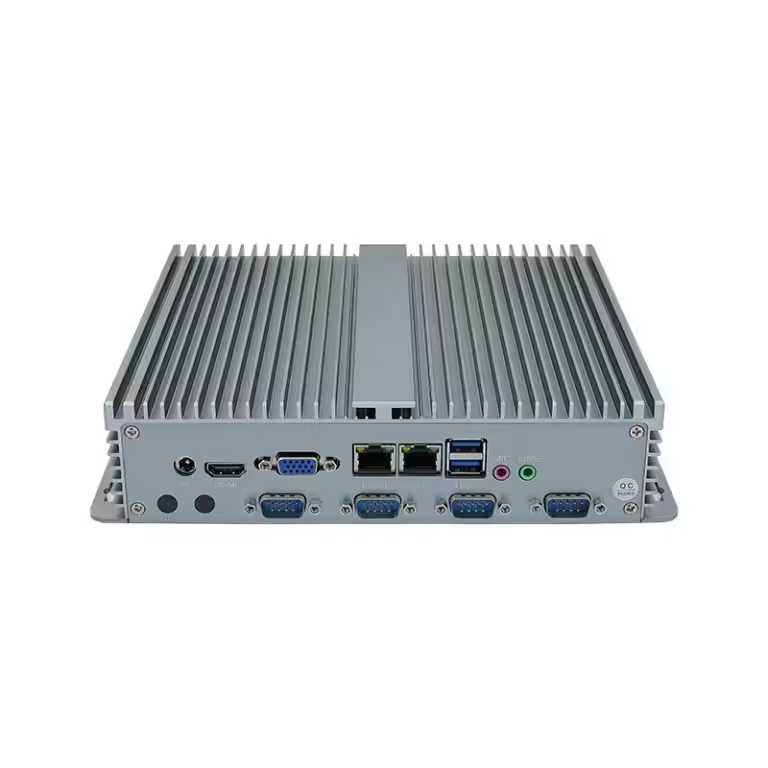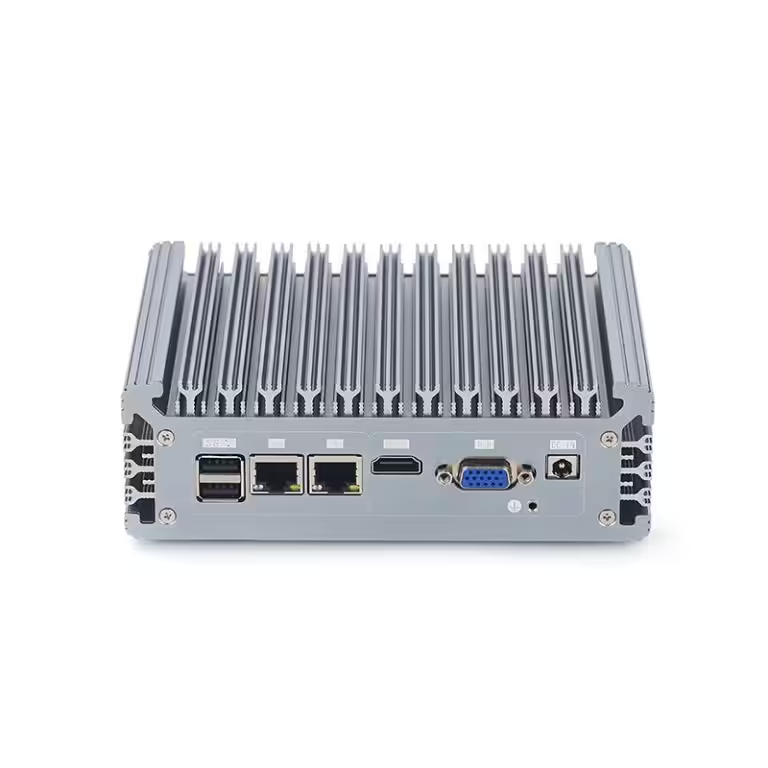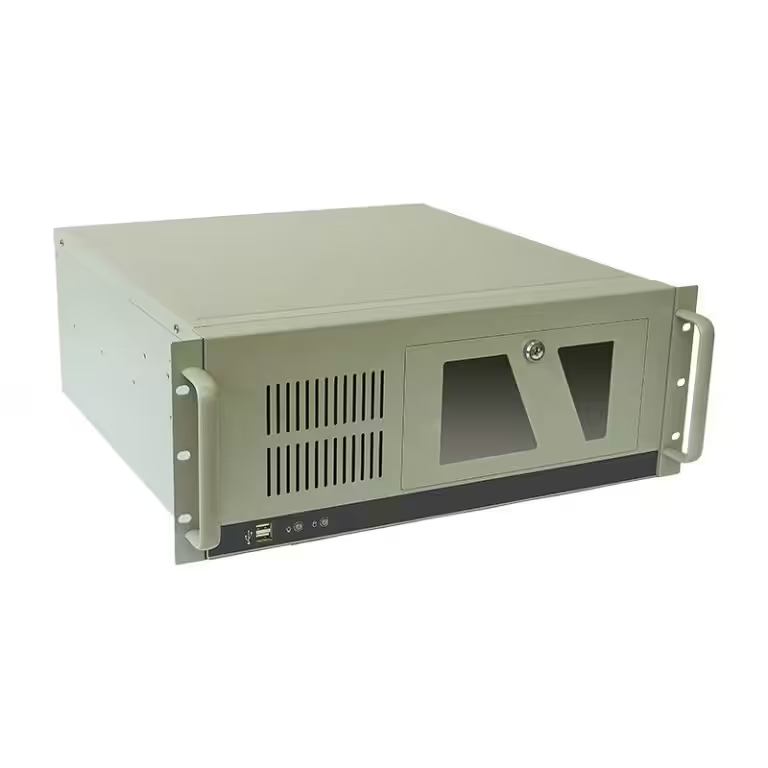
Industrial computer form factors determine how systems are installed, cooled, protected, expanded, and maintained. Box PCs, Panel PCs, and Rackmount PCs may use similar processors, memory, and storage, but their mechanical designs support different operating environments and workloads.
Box PCs prioritize compact installation and environmental resilience. Panel PCs combine computing hardware with an integrated display and touchscreen. Rackmount PCs provide greater internal space for processors, storage devices, GPUs, and PCIe expansion cards.
Choosing among them should begin with the installation environment and required operator interaction—not with processor performance alone. This guide compares the three form factors and explains when each is the better fit.
Box PCs vs. Panel PCs vs. Rackmount PCs
| Comparison Factor | Box PCs | Panel PCs | Rackmount PCs |
|---|---|---|---|
| Integrated display | No | Yes | No |
| Typical installation | Cabinets, machine frames, vehicles and control stations | Machine panels, operator consoles and production lines | 19-inch racks and control rooms |
| Mounting options | Wall, VESA, DIN rail or custom mounting | Panel, flush, VESA or swing-arm mounting | Rack rails or fixed rack mounting |
| Environmental protection | Often fanless; full rating varies by model | Front-panel protection commonly available | Usually intended for controlled cabinets or rooms |
| Expansion capacity | Limited to moderate | Usually limited | Highest |
| Graphics capability | Integrated or selected discrete GPU options | Usually integrated graphics | Suitable for full-size GPUs in supported chassis |
| Service access | Replaceable as a complete unit | Access depends on panel installation | Internal components are generally easier to service |
| Primary advantage | Compact, flexible deployment | Integrated operator interface | Performance and expansion |
| Common applications | Machine control, gateways, robotics and edge computing | HMI, process control and operator stations | Machine vision, data acquisition, edge AI and centralized control |
The table provides a starting point, but the final choice also depends on temperature, vibration, available space, I/O, maintenance strategy, and future expansion.
Box PCs: Compact Computers for Flexible Installation
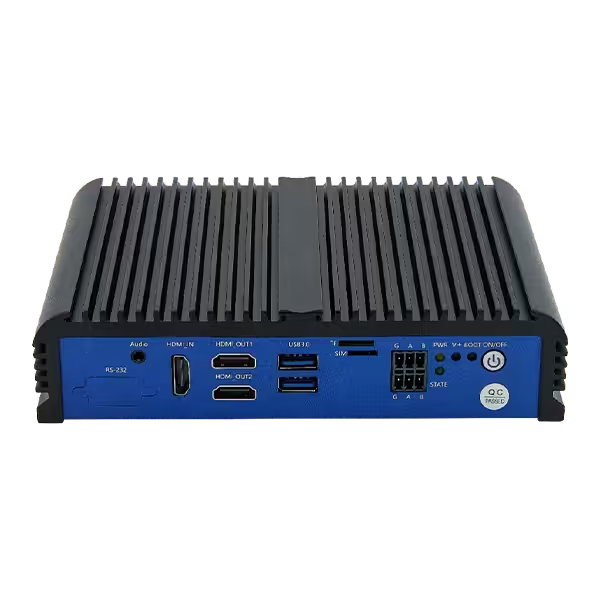
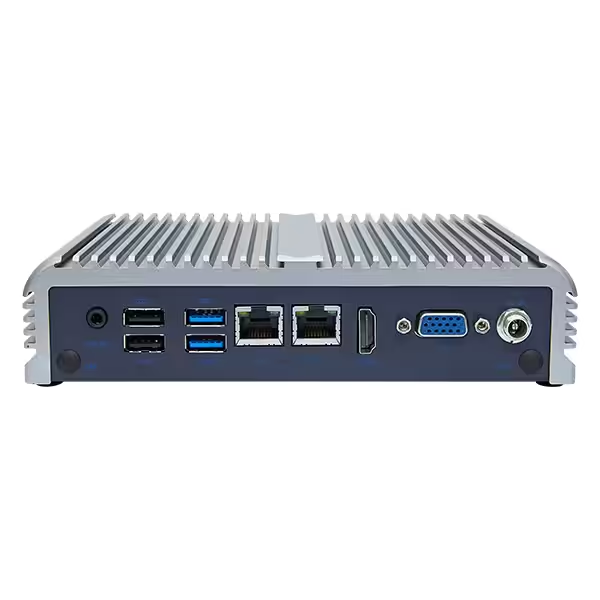
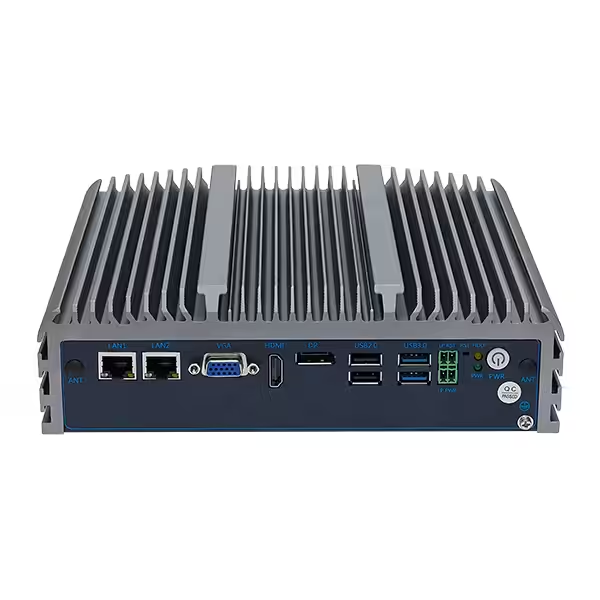
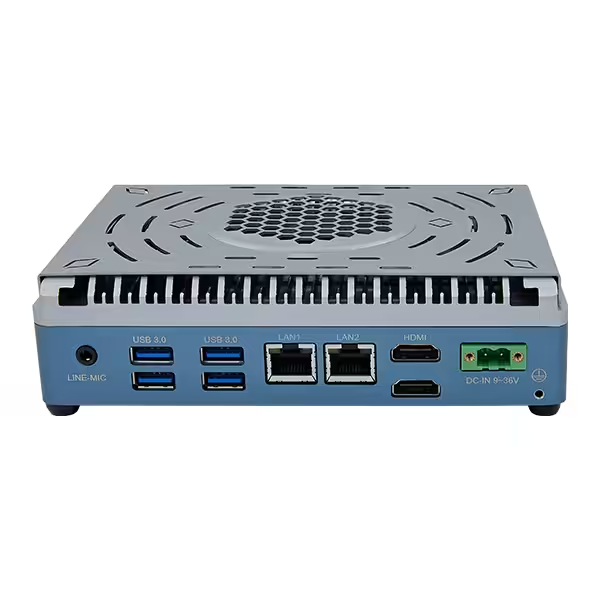
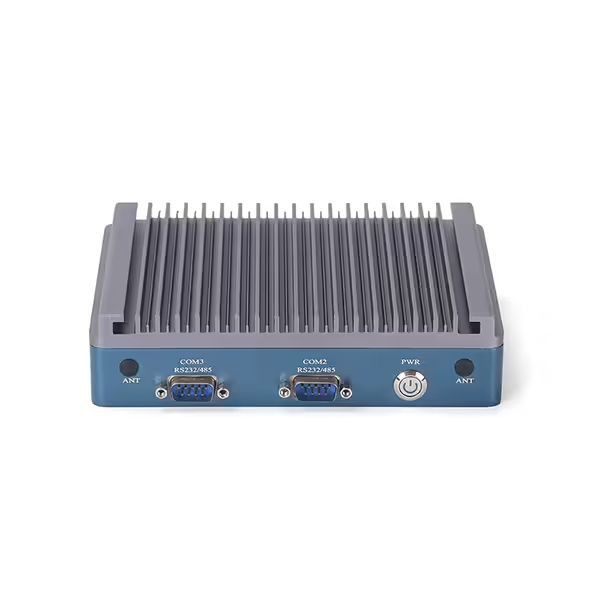
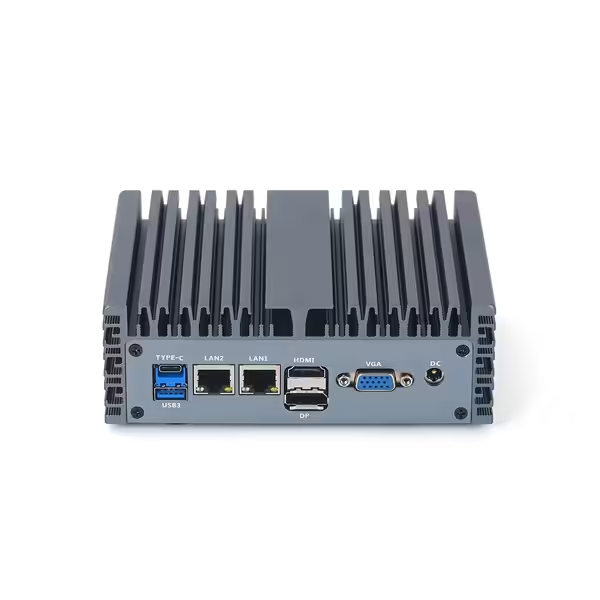
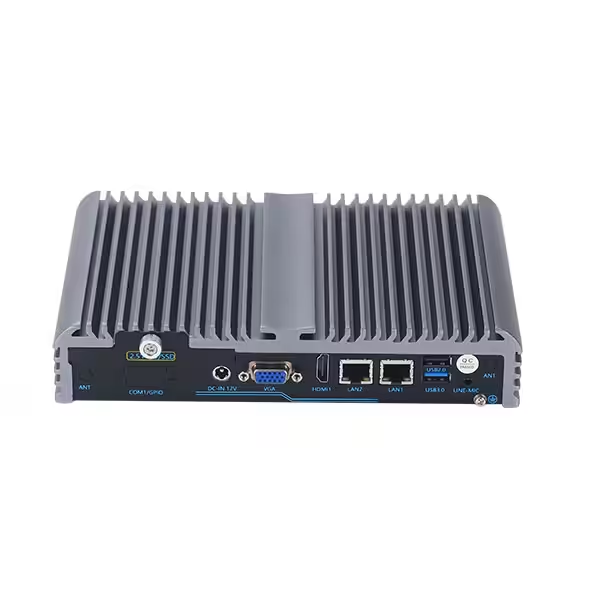
Box PCs are self-contained computers housed in compact metal enclosures. They are used where computing is required without an integrated screen, particularly inside machines, electrical cabinets, mobile systems, and distributed control installations.
Their size varies from small low-power units to expandable systems capable of supporting additional network interfaces, storage devices, or PCIe cards.
Advantages of Box PCs
Box PCs are commonly selected because they offer:
- Compact dimensions
- Flexible mounting
- Fanless configuration options
- Multiple industrial I/O interfaces
- Wide DC input options
- Separation between the computer and display
- Easier unit-level replacement
- Suitability for distributed edge computing
Separating the computer from the display can be useful when the two components have different replacement cycles. If a monitor is damaged or a larger display is required, it can be replaced without changing the computer.
Fanless Cooling and Environmental Protection
Many Box PCs transfer heat from the processor to an aluminum enclosure that acts as an external heat sink. Eliminating the cooling fan reduces moving parts and limits airflow-related dust intake.
However, fanless does not mean completely sealed. Enclosure seams, antenna openings, removable storage trays, and I/O connectors still affect ingress protection. Buyers should verify whether an IP rating applies to the complete enclosure and whether connectors must be covered or mated.
Temperature ratings should also be checked for the selected processor, memory, and storage configuration. A low-power model may support a wider operating range than a high-performance configuration in the same product family.
Mounting Options
Common Box PC mounting methods include:
- Wall mounting
- DIN rail mounting
- VESA mounting
- Bookshelf mounting
- Vehicle mounting
- Custom machine-frame installation
DIN rail mounting is useful inside control cabinets alongside PLCs, power supplies, and terminal blocks. Wall and VESA mounts provide more flexibility when the computer is installed behind a monitor or directly on a machine frame.
The installation should leave enough space around heat-sink surfaces. Mounting orientation can affect passive cooling, so the manufacturer’s required orientation and clearance should be followed.
When to Choose Box PCs
Box PCs are generally suitable when:
- No integrated touchscreen is required
- Installation space is limited
- The computer must be mounted near a machine or sensor
- Fanless operation is preferred
- Moderate onboard I/O is sufficient
- The computer and display need separate replacement cycles
- The environment is less controlled than a typical server room
They are commonly used for machine control, protocol conversion, digital signage, automated inspection, mobile equipment, robotics, and industrial IoT gateways.
Panel PCs: Integrated Computing and Operator Control
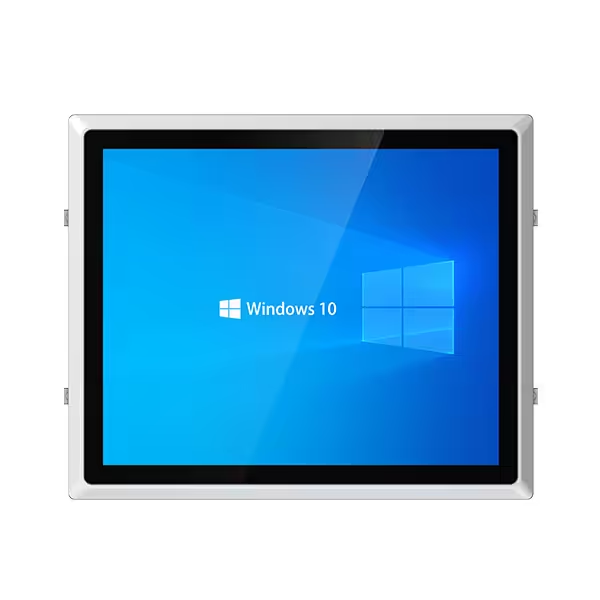
Panel PCs combine a display, touchscreen, and computer in one enclosure. They are primarily used where operators need to view machine status, enter commands, acknowledge alarms, or interact directly with production software.
Typical installations include manufacturing equipment, packaging lines, process-control stations, food-processing systems, and building-automation interfaces.
Advantages of Panel PCs
Panel PCs provide:
- Integrated display and computer hardware
- Reduced external cabling
- Compact operator-station design
- Front-panel mounting
- Touch-based control
- Front-facing dust and water protection options
- Easier integration into machine enclosures
Their all-in-one design reduces the number of separate components, but it also couples the display and computer lifecycles. If either part requires replacement, the complete Panel PC may need servicing unless the design provides modular components.
Resistive vs. Projected Capacitive Touchscreens
Resistive touchscreens respond to physical pressure and can usually be operated with gloves or a stylus. They are suitable for interfaces that use larger buttons and do not require multi-touch gestures.
Projected capacitive, or PCAP, touchscreens provide higher optical clarity, multi-touch support, and more responsive interaction. Their suitability for wet hands or gloves depends on the touch controller, firmware tuning, cover-glass thickness, and glove material.
The touchscreen decision should consider:
- Glove type and thickness
- Wet-hand operation
- Water-drop rejection
- Required touch accuracy
- Multi-touch gestures
- Screen readability
- Cover-glass durability
- Cleaning chemicals
- Expected operator behavior
Touch technology alone does not establish whether the complete Panel PC is suitable for wet or dirty conditions.
Front-Panel and Full-Enclosure IP Ratings
Many Panel PCs provide an ingress protection rating for the front surface after correct panel installation. The rear housing and connectors may have a different level of protection.
Procurement teams should verify:
- Whether the rating covers the front panel or full enclosure
- Which gasket and panel thickness are required
- Whether the rating applies after installation
- Whether exposed connectors need protective covers
- Whether the enclosure resists cleaning chemicals or corrosion
- Whether washdown pressure and temperature match the application
IP and NEMA ratings should not be treated as directly interchangeable. NEMA enclosure types may include conditions such as corrosion or external icing that are not represented by an IP code alone.
When to Choose Panel PCs
Panel PCs are generally the better choice when:
- Operators require a built-in display
- Touch control is part of the workflow
- The computer will be installed in a machine or console
- A clean, integrated operator station is preferred
- Front-panel dust or water protection is required
- Expansion needs are limited
- Display size and viewing conditions are already defined
They are particularly suitable for HMI, SCADA, production monitoring, machine setup, recipe selection, alarm management, and operator data entry.
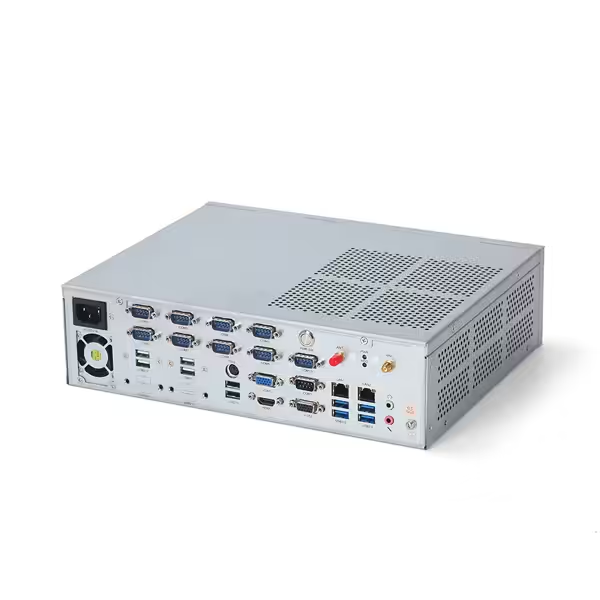
Rackmount PCs: Performance and Expansion in Standard Racks
Rackmount PCs are designed for installation in 19-inch equipment racks. They provide more internal space than most Box PCs and Panel PCs, making them suitable for applications that require powerful processors, multiple storage devices, full-height PCIe cards, or discrete GPUs.
They are commonly installed in control rooms, equipment rooms, telecom cabinets, laboratories, and centralized industrial computing systems.
Understanding Rack Height
Rackmount chassis height is measured in rack units:
- 1U equals 44.45 mm
- 2U equals 88.9 mm
- 3U equals 133.35 mm
- 4U equals 177.8 mm
Lower-profile chassis save rack space but provide less room for cooling, expansion cards, and storage. Larger chassis can accommodate more components and may offer easier service access.
A 19-inch rack standardizes key mounting dimensions, but it does not guarantee that every computer will fit every rack installation. Buyers must also check:
- Chassis depth
- Rail compatibility
- Rack load capacity
- Front and rear clearance
- Cable bend radius
- Airflow direction
- Power-connector position
- Access for maintenance
PCIe Expansion and High-Performance Hardware
Rackmount PCs provide the greatest expansion capacity of the three form factors. Depending on chassis size and motherboard layout, they may support:
- Discrete GPUs
- Frame grabbers
- Motion-control cards
- High-speed network adapters
- Serial expansion cards
- Digital and analog I/O boards
- Data-acquisition cards
- Multiple storage drives
- Redundant power supplies
These capabilities make Rackmount PCs suitable for machine vision, edge AI, laboratory automation, surveillance, test systems, and applications that collect data from many devices.
PCIe slot count alone is not enough to confirm compatibility. Card length, height, power consumption, cooling requirements, lane allocation, and operating-system support must also be checked.
Environmental Limitations
Many Rackmount PCs use active airflow and are intended for relatively controlled environments. Dust, high ambient temperature, and blocked airflow can reduce cooling performance. They are therefore commonly installed in filtered and climate-managed racks or equipment rooms.
Ruggedized Rackmount PCs are available for transportation, marine, and defense-related environments, but their performance should be evaluated using model-specific vibration, shock, temperature, and EMC test conditions.
When to Choose Rackmount PCs
Rackmount PCs are generally appropriate when:
- Several PCIe cards are required
- A full-size GPU is needed
- The application has high processing demands
- Multiple storage drives are required
- Equipment is already centralized in 19-inch racks
- Internal components must be accessible for maintenance
- Redundant power or network configurations are needed
- The installation environment can support controlled airflow
How to Select the Right Industrial Computer Form Factor
The correct choice can usually be identified by answering five groups of questions.
1. Does the System Need an Integrated Display?
If operators need to interact directly with the system, Panel PCs provide the simplest integrated solution. If the display can be installed separately—or no local display is needed—Box PCs and Rackmount PCs offer greater placement flexibility.
2. Where Will the Computer Be Installed?
For control cabinets, machine frames, vehicles, or other space-constrained locations, Box PCs are usually easier to integrate.
For operator consoles and equipment panels, Panel PCs reduce cabling and simplify the front-facing installation.
For centralized control rooms and existing 19-inch rack infrastructure, Rackmount PCs provide better expansion and maintenance access.
3. What Environmental Conditions Must It Withstand?
Define the actual conditions before comparing products:
- Minimum and maximum temperatures
- Continuous and peak workloads
- Vibration and mechanical shock
- Dust and moisture
- Oil mist or corrosive contaminants
- Available airflow
- Cleaning and washdown procedures
- Power fluctuations and electrical noise
Do not assume that all products within one form factor offer the same environmental protection.
4. How Much Expansion Is Required?
A compact Box PC may be sufficient for Ethernet, serial ports, USB devices, and basic digital I/O. A Panel PC is appropriate when operator interaction is more important than internal expansion.
Applications requiring multiple frame grabbers, GPUs, high-channel-count acquisition cards, or specialized PCIe interfaces usually favor Rackmount PCs or larger expandable Box PCs.
5. How Will the System Be Maintained?
Maintenance strategy affects the preferred form factor.
Box PCs can often be replaced as complete units, reducing on-site repair time. Panel PCs may require access to the rear of the installation and may couple display replacement with computer servicing. Rackmount PCs generally provide easier access to internal cards, fans, power supplies, and storage devices.
Long-term deployments should also consider configuration control, component availability, operating-system support, and replacement compatibility.
Final Selection Guide
Choose Box PCs when compact installation, flexible mounting, fanless operation, and distributed computing are the main priorities.
Choose Panel PCs when an integrated display and touchscreen are required for direct operator interaction.
Choose Rackmount PCs when processing performance, PCIe expansion, storage capacity, or centralized maintenance takes priority over compact size and enclosure sealing.
No form factor is inherently more reliable than the others. Reliability depends on whether the selected design matches the operating environment, workload, interfaces, installation method, and service expectations. Comparing those requirements before selecting processors and optional features helps prevent oversized systems, insufficient expansion, thermal problems, and costly installation changes later.